

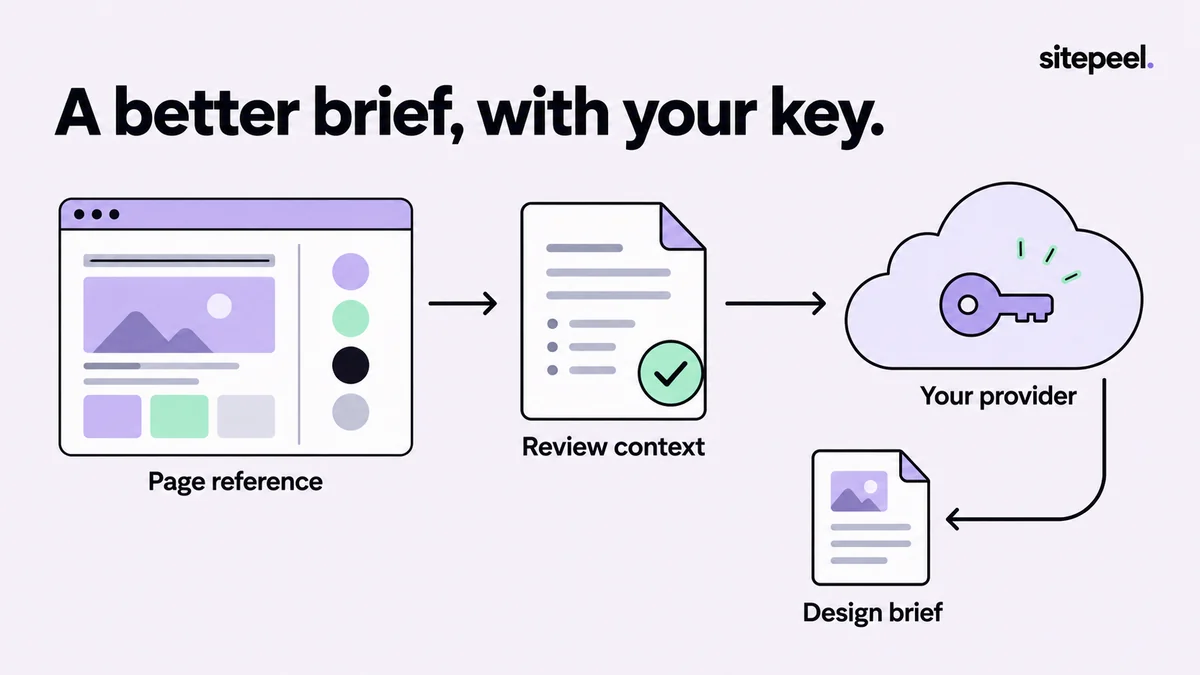
Choose standard generation or optional AI
Sitepeel can create a standard Design prompt without an AI-provider key. Use that first when you need a structured reference from the page. Read it, remove unrelated content and add the job your project needs to accomplish.
Optional AI refinement can help reorganize or expand the brief. It uses the connection you configure in the installed extension's dashboard. This is separate from a chat subscription you may have with a provider; check API access and billing on that provider account.
Configure a connection in the dashboard
Open the Sitepeel dashboard and choose AI settings. Select a provider, enter the requested connection details and use a model available to your account. Save the settings and use the connection test before generating a large brief.
The connection catalog includes Gemini, Anthropic, OpenAI, DeepSeek, OpenRouter and a custom/local-server option. Model identifiers and provider availability change. A listed preset is a starting point, not proof that your account has access to that model.
- Choose the provider you intend to use.
- Enter your own API key in the settings, not in the prompt.
- Check the model and, for a custom connection, the endpoint.
- Save and test the connection.
- Start with a short, non-sensitive page example.
Understand what leaves the browser
When you request optional AI refinement, page context used for that request is sent to your chosen provider. Review the page and the scope of the task before generating. Do not describe an external AI request as offline processing.
Avoid generating from private account pages, customer records or pages containing secrets unless you are authorized to send that information to the configured service. A custom endpoint is controlled by its operator; labeling it custom does not make it local or private. Keep API keys out of screenshots and shared reference files.
Give the model a task with acceptance criteria
A good instruction names the output, the reference it should use and what it should not assume. Separate observed visual details from requirements you are adding for your own product. That makes it easier to review the answer for invented behavior.
The example below is a hand-authored refinement brief. Adapt the routes, content and constraints to your project rather than asking for a generic copy of the reference website.
Use the reviewed page reference to draft a pricing-page brief.
Keep: clear plan hierarchy, readable typography and generous gaps.
Change: use our own plan names, copy and assets.
Describe: desktop and narrow-screen layout, focus, loading and errors.
Do not invent: backend behavior, customer claims or exact source tokens.
Output: short sections plus acceptance checks.
Diagnose a failed request
An invalid key, unavailable model, exhausted quota and unreachable endpoint are different problems. Read the provider error, confirm the chosen account and model, and check billing or rate limits before retrying. Repeated clicks will not repair an invalid credential.
If refinement is unavailable, continue with the standard prompt and edit it yourself. Review any successful result against the source page and your requirements; fluent prose can still contain unsupported layout rules or missing interaction states.
Try the workflow in Sitepeel
These steps describe the 1.0.3 tools. Preview them on public Sitepeel pages in the website demo; browser-store availability may vary while the update rolls out. Use the installed extension to work on other supported websites. Inspection and preview changes do not publish changes to the original site.