

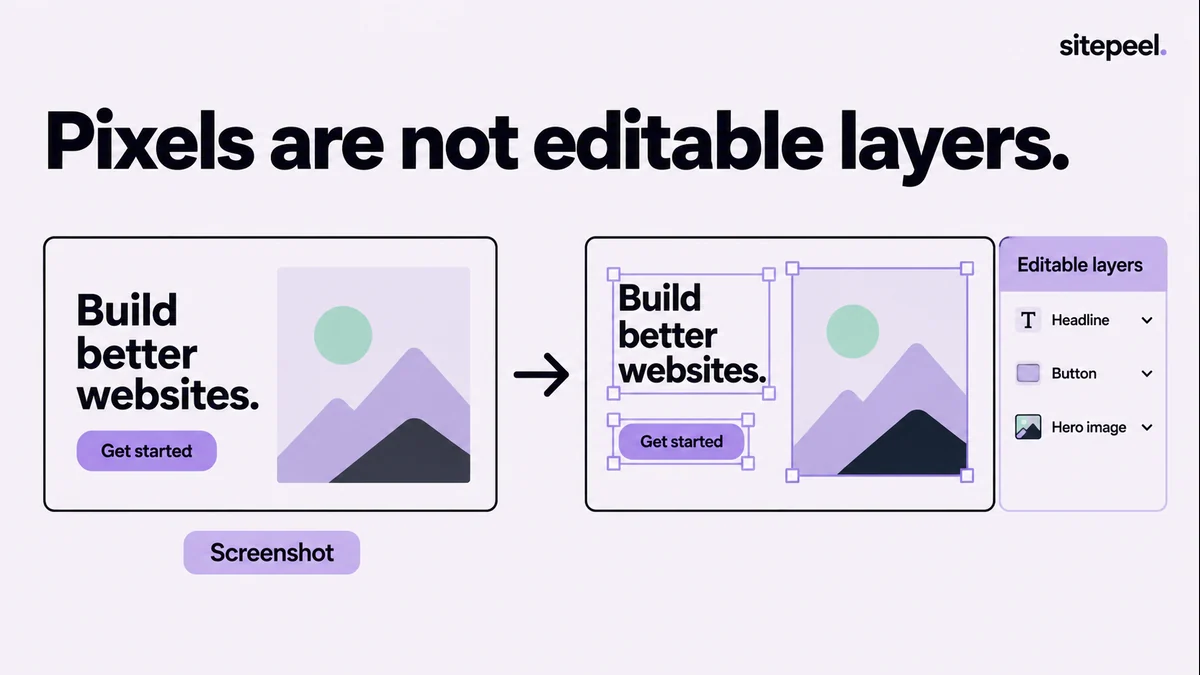
Decide what you need to edit
A screenshot is enough for discussing hierarchy, section order or visual direction. An editable import is useful when you need to change text and rearrange elements. A documented design reference helps when the destination is an implementation rather than a Figma canvas.
Choose before importing a long page. Otherwise you can spend an hour cleaning layers for a meeting that only required an annotated image. Start with one representative section and verify that the chosen method produces the output you need.
| Method | What you receive | Use it when |
|---|---|---|
| Website-to-Figma import | Editable design layers to review | You need to change the imported layout in Figma |
| Screenshot placed in Figma | A flat visual reference | You need comparison, annotation or inspiration |
| Design MD and measured notes | A written record of observed design | You need a design-to-code or AI handoff |
Import one public page with html.to.design
Open the html.to.design plugin from its official Figma listing, provide the page URL and choose the viewport or theme relevant to your task. Import one page first. The product supports website imports; the resulting file still needs a design review.
For a page behind a login or a specific browser state, the publisher documents a Chrome-extension capture workflow. Use only pages and data you are authorized to process. Check the tool’s handling of that content before importing a private workspace.
Keep an untouched copy of the imported frame. Work on a duplicate so you can compare cleanup decisions against what the importer actually produced. Record the source URL, capture date and width next to the frame.
Review fonts, images and layer structure
Check the heading and body font first. A missing font can change wrapping throughout the page, making it look as though every spacing value is wrong. Compare the rendered text with the original at the same width before adjusting individual elements.
Next inspect images, masks and effects. Confirm that important images are present at a useful resolution. Review gradients, shadows and borders where the import looks different. Do not spend time perfecting a decorative detail before the main content structure is correct.
Rename the layers you will maintain. Group repeated patterns, then decide which ones deserve components. An imported button appearing ten times is evidence of repetition; it is not automatically a well-defined component with all required states.
Rebuild responsive rules and missing states deliberately
A frame at one width describes that view. Capture a narrow reference and compare what actually changes: navigation, column order, card width, image crop and heading wrapping. Label any behavior you have not observed.
Set up reusable constraints and layout relationships according to the design you intend to maintain. Test a longer heading, a second language if relevant and an additional card. Those variations reveal whether the cleaned-up frame is flexible or only matches the original screenshot.
Create explicit states for controls that matter to the project. The presence of a button in an imported frame does not explain its loading, error or keyboard-focus behavior. Capture those states from the source or define new ones as decisions.
Use Design MD as supporting evidence
Sitepeel can help you collect the fonts, color roles and layout observations that explain a reference. Keep these notes next to the Figma file or hand them to the developer who will implement the redesign. They complement the visual file rather than replacing editable layers.
Separate “observed on the source” from “chosen for the new design.” For example, the original may use a fixed sidebar while your redesign uses a collapsible navigation. Recording that decision avoids confusing an intentional change with an import defect.
When the source remains available, verify uncertain details there instead of trying to infer everything from the imported frame. The live page can answer questions about overflow, focus and transitions that a still layout cannot.
# Website-to-Figma review

Source URL / date / viewport / theme:
Import method and tool:
Untouched reference frame:

## Review
- [ ] Fonts and text wrapping compared.
- [ ] Images, effects and masks checked.
- [ ] Important layers named.
- [ ] Repeated patterns reviewed before making components.
- [ ] Narrow layout captured separately.
- [ ] Long copy and extra content tested.
- [ ] Required control states documented.

Observed source behavior:
Intentional redesign decisions:
Unverified details:
Supporting Design MD or notes: