

Choose the deliverable before opening a tool
Start with a concrete task: rebuild a pricing card in your own project, review a landing page, or document a visual direction. Each needs different evidence. A screenshot shows appearance, while code helps explain structure; neither alone explains the intended interactions.
For a pricing-card handoff, open the relevant state, wait for the intended fonts and images, and record the viewport. Use the same card throughout the inspection. That makes differences between the screenshot, measurements and exported code easier to explain.
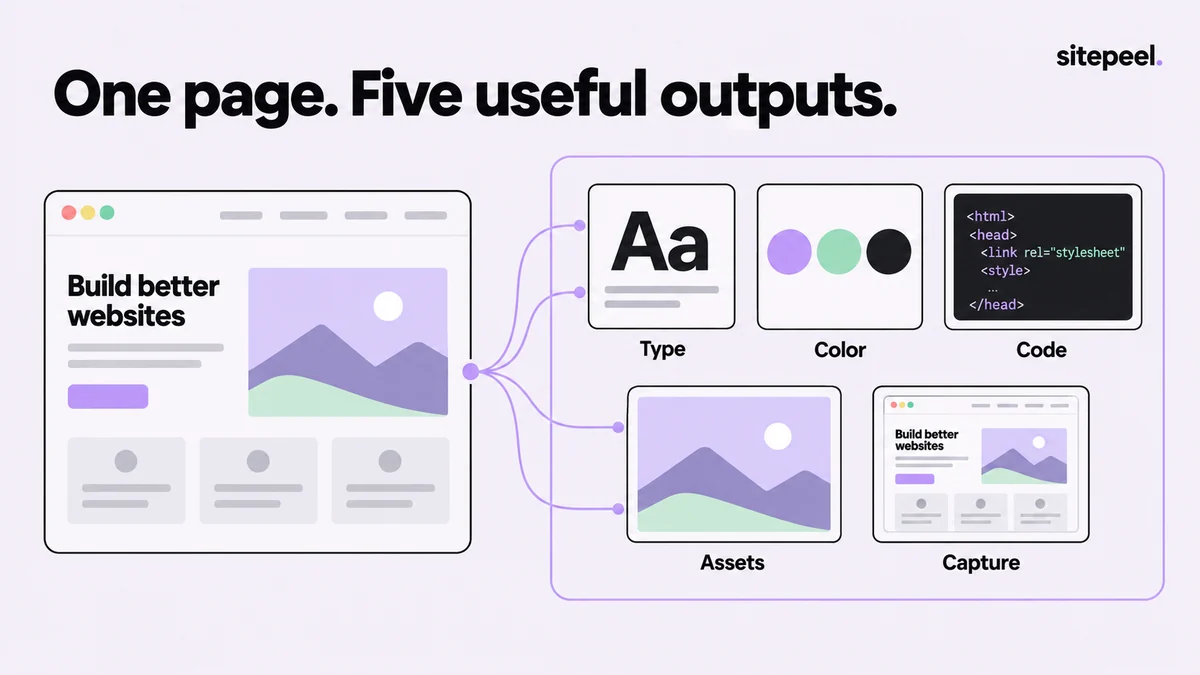
Collect five outputs from the same page
Sitepeel groups the tools around the page you are inspecting. Open one tool at a time and give each output a specific job rather than exporting everything available.
| Output | Sitepeel tool | Keep with it |
|---|---|---|
| Typography | Detect fonts | Heading/body role, size and weight |
| Color roles | Extract colors | Text, surface and accent pairs |
| Component structure | Pick element | HTML, CSS and dependencies |
| Visual resources | Extract assets | Source dimensions and usage rights |
| Appearance | Screenshot | Route, viewport and selected state |
Build a handoff someone can follow
Save the reference image alongside the component export. Add a short note explaining the card's parent layout, the fonts it relies on and what happens on a narrow screen. A copied snippet can depend on inherited styles or page-level variables that are not obvious from the selection.
Use Design MD when the decisions need to apply to several components. Keep it focused on repeated patterns, and label your proposed changes separately from values observed on the page. This stops an accidental one-off spacing value from becoming a project-wide rule.
pricing-card-reference/
  reference.png
  component.html
  component.css
  assets/
  DESIGN.md
notes.md # viewport, source, states and dependenciesKeep specialist tools when they solve a real need
An all-in-one extension is useful when you frequently move between inspection and handoff. A dedicated font identifier or color picker can still be enough for a quick lookup. Keeping a small tool you understand is reasonable if the broader workflow would add steps.
Use browser DevTools when the question is why a rule wins, why a request failed or why rendering is slow. Collecting visual references does not replace source-level debugging. Compare tools by whether the exported result helps finish your task, rather than how many buttons appear in the toolbar.
Check the result in your own project
Rebuild one component before collecting ten more. Test a longer title, a missing image, keyboard focus and a narrower viewport. These checks reveal whether you understood the layout or only captured one attractive state.
Keep links between the evidence and the final implementation. When a design changes, update the relevant note and capture instead of leaving several conflicting references. A compact, maintained package is easier to use than a large unreviewed export.
Try the workflow in Sitepeel
These steps describe the 1.0.3 tools. Preview them on public Sitepeel pages in the website demo; browser-store availability may vary while the update rolls out. Use the installed extension to work on other supported websites. Inspection and preview changes do not publish changes to the original site.