RESPONSIVE

How to check a website on every screen size

Paste the link into a free responsive checker to see phones, tablets, laptops and monitors side by side, then let it outline layout problems.

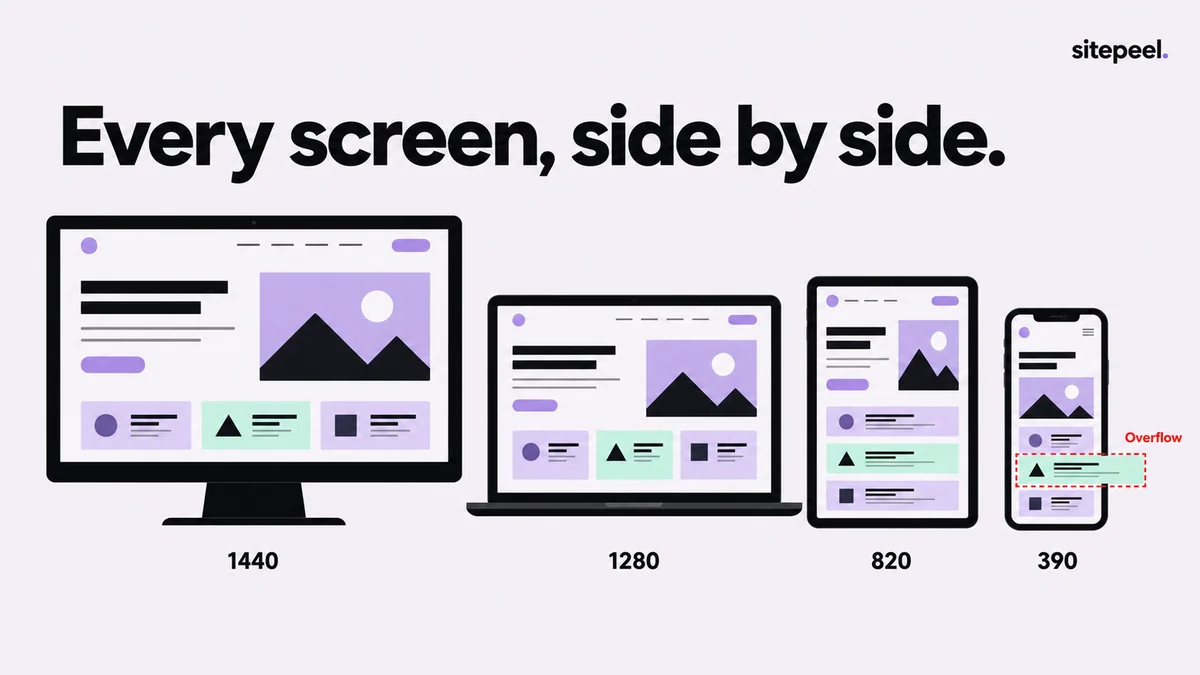
“Every screen, side by side.” The same page on a 1440 monitor, a 1280 laptop, an 820 tablet and a 390 phone, where one section overflows the screen.
Every screen size at once, with what breaks.

In short

  • Compare phones, tablets, laptops and monitors at once, not one width at a time
  • Look for content wider than the screen, tiny text and small tap targets
  • Previews follow each width, but the site still sees a desktop browser
  • Before launch, test on a real phone: touch, keyboard and browser bars differ

Try it free · Responsive checker

Free. No install.

01

Paste the link

Paste your page’s link into the free responsive checker to see it on every device side by side.

02

Pick your devices

Press Devices to choose up to 12 phones, tablets, laptops and monitors, or add a custom size like 1280x800.

03

Find layout problems

Press Find layout problems. It outlines content wider than the screen, very small text and small tap targets.

04

Step through each screen

Click a device to focus it, step with the ← and → keys, press Esc to go back, and Rotate for landscape.

Which screen sizes to check

Widths matter more than device names. Check sizes between your breakpoints too: layouts often break just before one takes over.

Width ranges to cover, in CSS pixels
ScreenWidthsWatch for
Small phone320WCAG’s reflow width: no sideways scrolling
Phone360–440Wrapped navigation, cramped buttons, long words
Tablet744–1024Awkward in-between columns; rotate to landscape too
Laptop1280–1536Short screens pushing the main action below the fold
Monitor1920 and upLines too long to read, stretched images, empty space
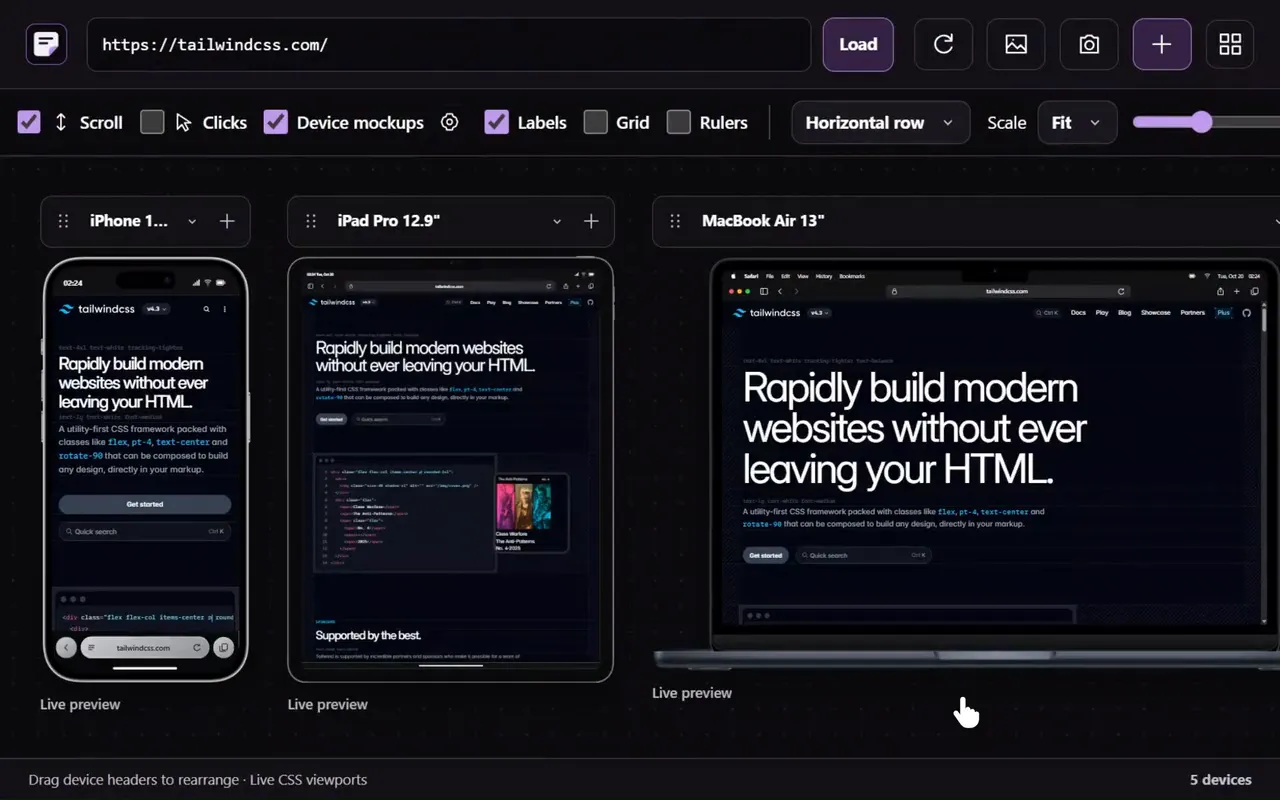
Responsive viewer in the Sitepeel interface
Responsive viewer in actionExplore the tool

What the common layout problems look like

TipFix overflow first: one element wider than the screen makes the whole page scroll sideways.

Layout problems and the usual fix
ProblemWhat you seeUsual fix
OverflowSideways scrolling, cut-off cards and tablesmax-width: 100% on media, min-width: 0 on flex and grid children, wrapping long words
Very small textText you have to zoom to readBody text around 16px on phones
Small tap targetsLinks and buttons too small or too close to tapAt least 24 × 24 CSS px (WCAG 2.2); 44 × 44 is easier

Fix sideways scrolling on mobile

Find overflow by hand in DevTools

In Chrome DevTools, press Ctrl+Shift+M (Cmd+Shift+M on Mac) for device mode and set a width. Then run this in the Console to list elements that stick out past the right edge.

Menus parked off-screen on purpose show up too; skip those.

find-overflow.js
const w = document.documentElement.clientWidth;
document.querySelectorAll('*').forEach(el => {
  if (el.getBoundingClientRect().right > w) console.log(el);
});

When to test on a real phone

Live previews use your browser at each exact width, so layouts follow the size, but the site still sees a desktop browser. Find layout problems opens the page as a real phone. Some things still need the device in your hand:

  • Touch: swipes, sliders and menus that rely on hover
  • The on-screen keyboard covering forms and fixed footers
  • Browser bars that grow and shrink and change 100vh layouts
  • Notches and rounded corners cutting into edge content
  • Speed and smoothness on a mid-range phone

Compare layouts in Chrome with the Responsive viewer

Further reading

W3C: Understanding Target Size (Minimum), WCAG 2.2W3C: Understanding Reflow, WCAG 2.2Chrome DevTools: device mode

A few useful answers.

How do I test my website on different screen sizes for free?

Paste its link into a free online responsive checker to see many devices at once, or use Chrome DevTools device mode (Ctrl+Shift+M) one size at a time. Check a real phone before launch.

Why does the preview look different from my phone?

Previews match the width, but the site still sees a desktop browser, so phone-only code, touch and browser bars aren’t tested. Sites that block being shown inside other pages get screenshots at each size instead.

What screen sizes should I test?

Cover 320 and 360–440 px for phones, about 744–1024 px for tablets, 1280–1536 px for laptops and 1920 px for monitors. Try sizes between your breakpoints too, where layouts often break.

Why is my website wider than the phone screen?

One element is wider than the screen: often a fixed-width image, table or embed, a long word or link, or a flex child that won’t shrink. Find it, then use max-width: 100%, min-width: 0 or overflow-wrap: anywhere.

TAKE A CLOSER LOOK

Your next starting point is already on the web.

Inspect it. Understand it. Build something of your own.

Add to ChromeFree installTry the free tools