TRY IT HERE

Inspect & clone
websites.

Inspect websites, compare responsive layouts and capture the details. 13 tools for code, screenshots and Design MD.


Video + written walkthrough
Works withGoogle ChromeMicrosoft EdgeBrave
Desktop extension. No subscription.

13 tools. One extension.

Pick, edit and export in your browser.

Copy. Save. Build.

Take code, assets and design details with you.

You choose what to share.

Generate briefs when you need them.

Pay once. Keep creating.

All tools included. One payment. No subscription.
A workspace that
works your way.

Watch the full tutorial
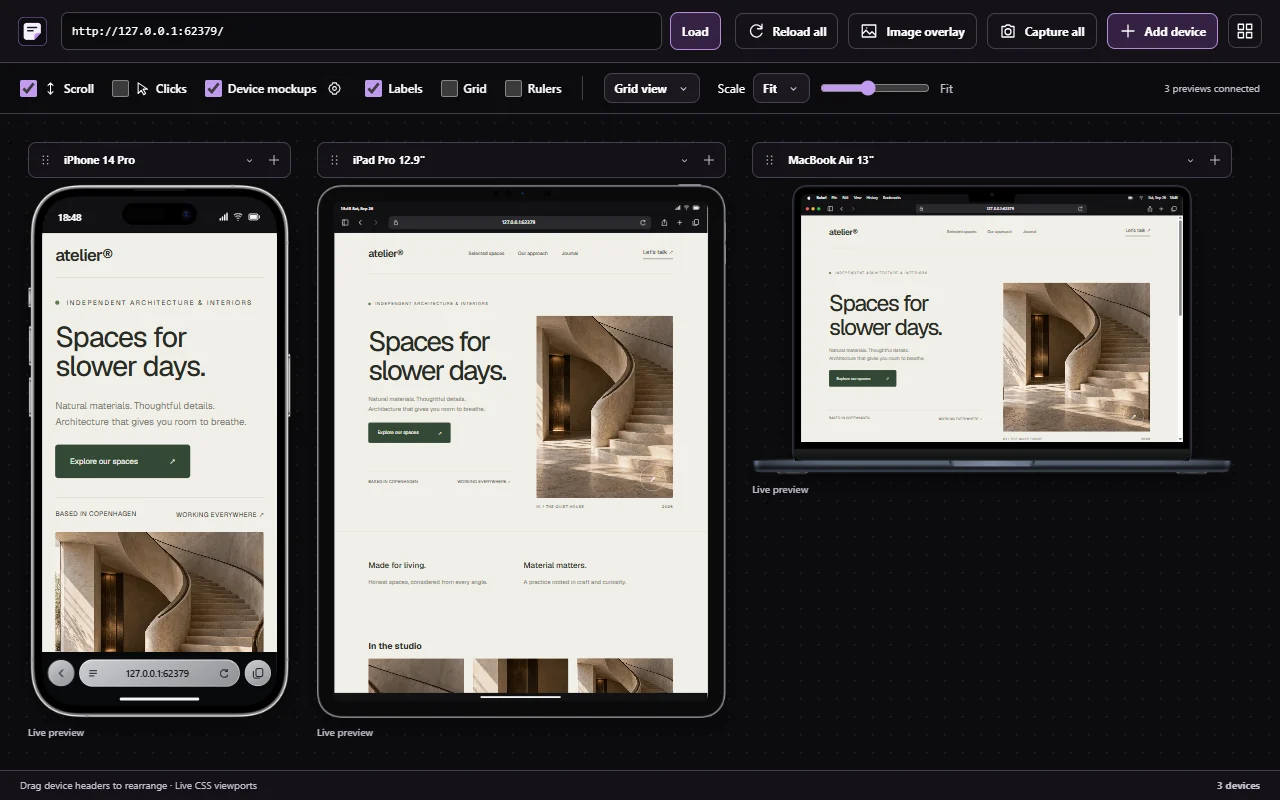
Compare every layout. Sitepeel interface

Compare every layout.

Phone, tablet, desktop or foldable. Arrange previews and inspect the widths that matter.

Test responsive layouts
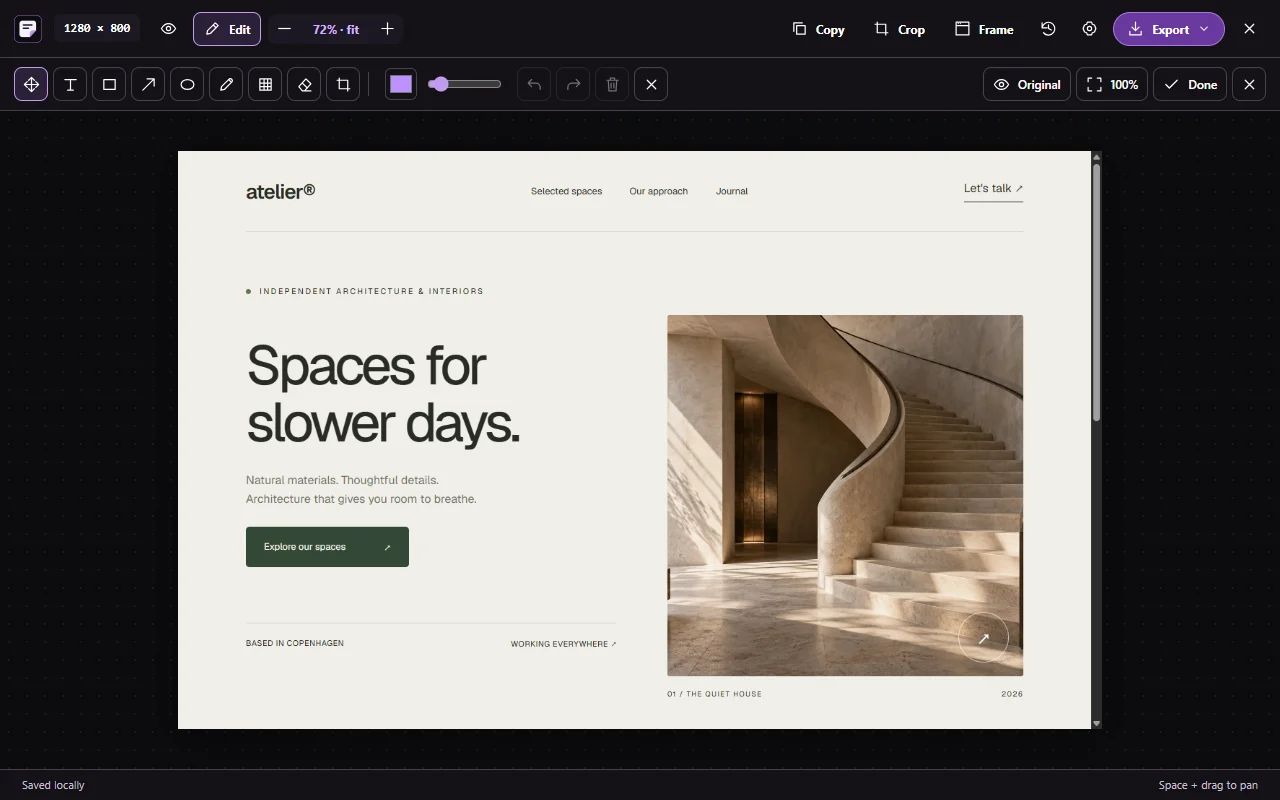
Capture. Refine. Share. Sitepeel interface

Capture. Refine. Share.

Four capture modes, adjustable crops, annotations and an editor ready for your handoff.

Explore the capture editor
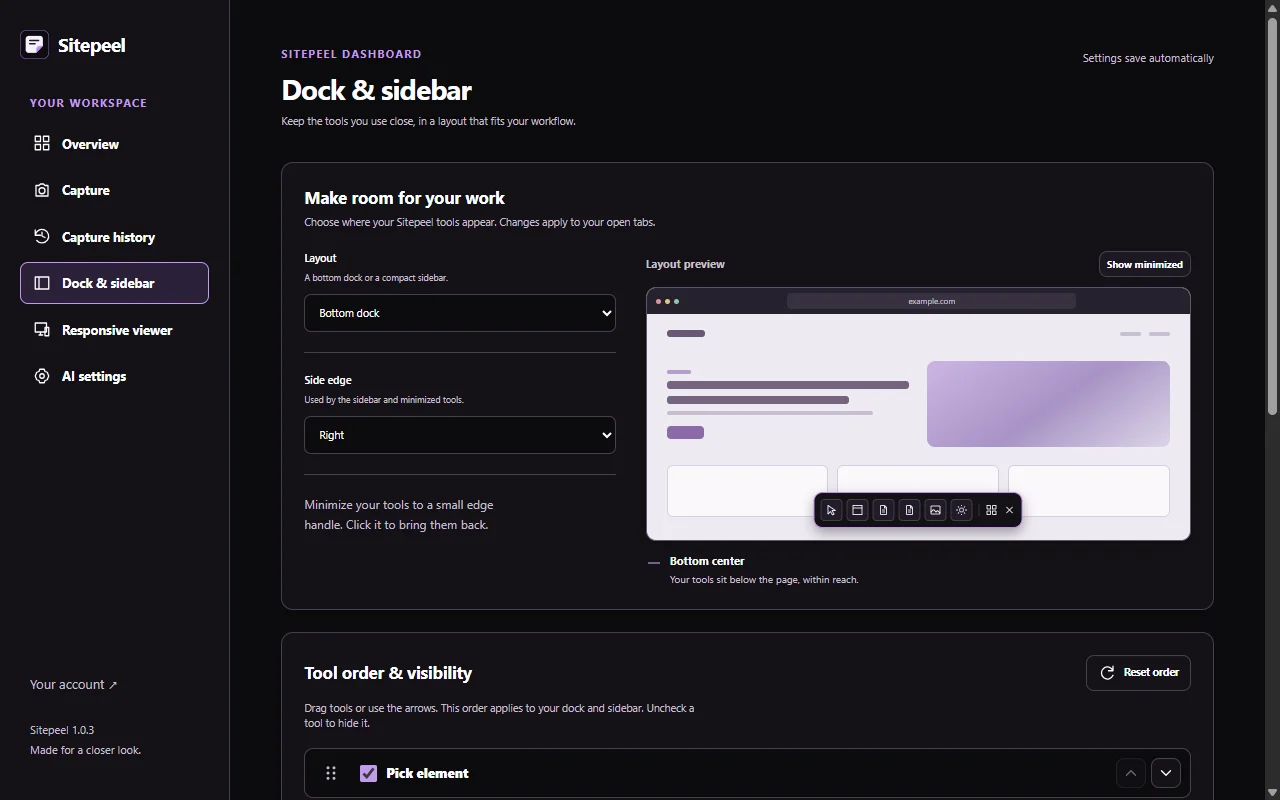
Make the tools yours. Sitepeel interface

Make the tools yours.

Choose a dock or sidebar. Reorder tools and set your capture and responsive defaults.

Set up your workspace

Inspect a website.
Build from the details.

There’s a lot to learn from a well-made website.
Sitepeel helps you get to the useful parts.

01

Open a website.

Click the Sitepeel icon. Your tools open on the page.

02

Pick what you need.

Choose a detail, a color, a font, or the whole page.

03

Take it from there.

Copy the code. Save the file. Start your next build.

13 website tools.
Ready when you are.

Watch. Then try them here.

Pick element in Sitepeel

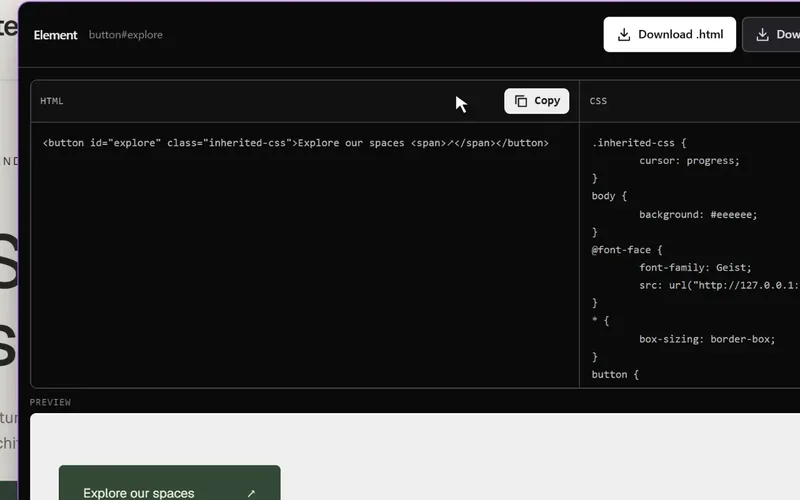
Pick element

01

Click an element. Preview and copy its HTML and CSS, or save it as a file.
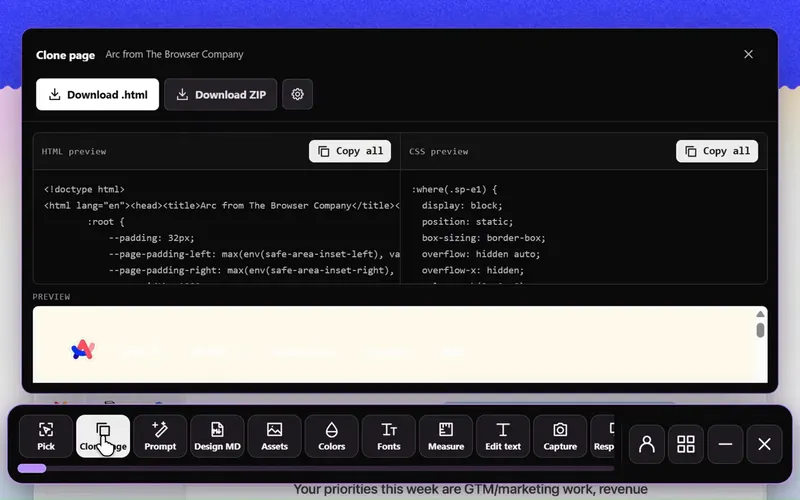
Clone page in Sitepeel

Clone page

02

Preview the page, then export its rendered HTML, styles and assets.
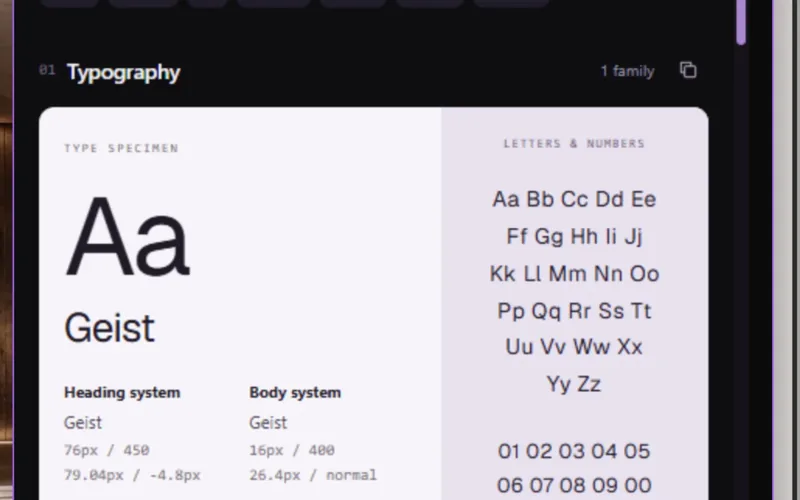
Design MD in Sitepeel

Design MD

03

Collect typography, colors and spacing in a visual guide and Markdown file.
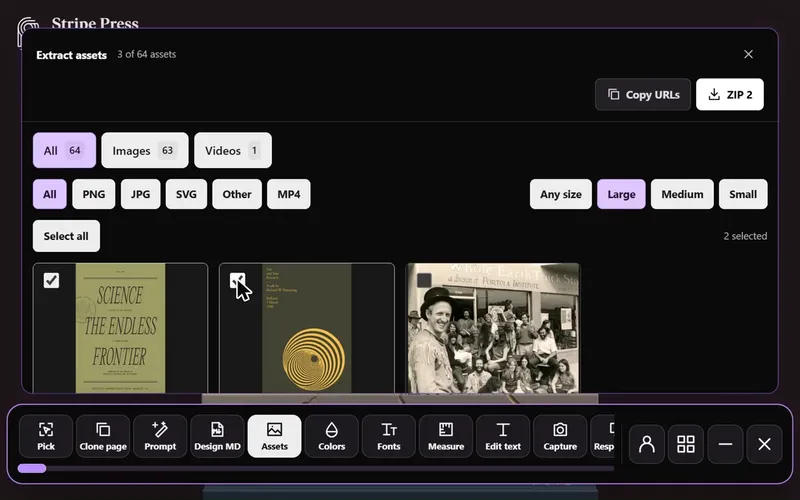
Extract assets in Sitepeel

Extract assets

04

Browse images, videos and SVGs. Filter the collection and save what you need.
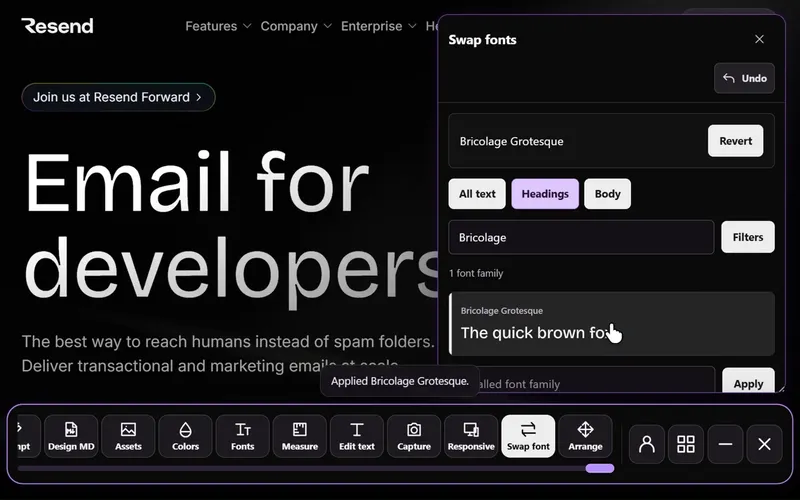
Swap fonts in Sitepeel

Swap fonts

05

Try 2,100+ font families on the page. Change headings, body text or both.
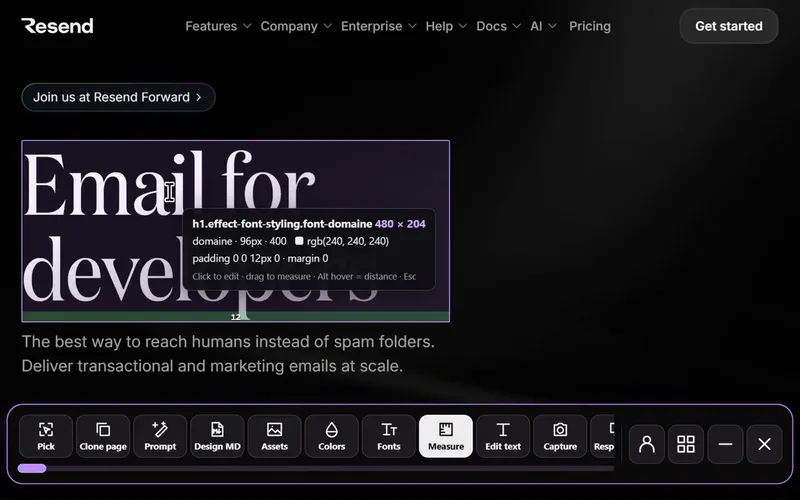
Inspect & measure in Sitepeel

Inspect & measure

06

Check dimensions, padding and margins. Measure distances right on the page.
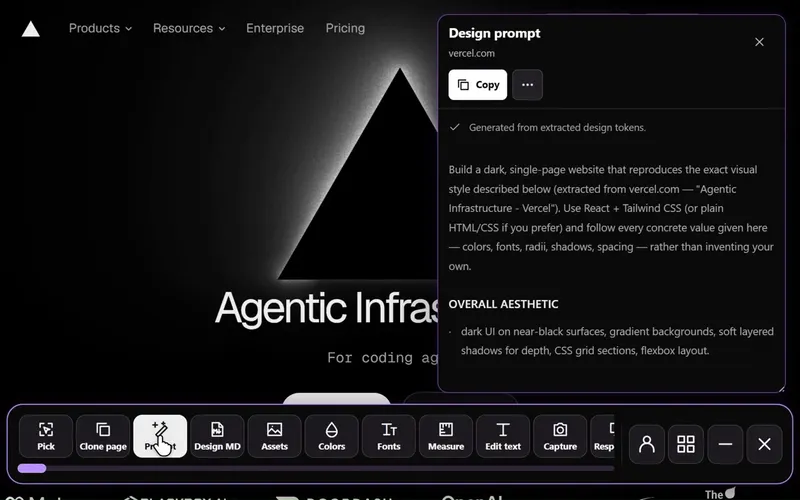
Design prompt in Sitepeel

Design prompt

07

Turn the page into a detailed design brief. Add your own AI key if you want.
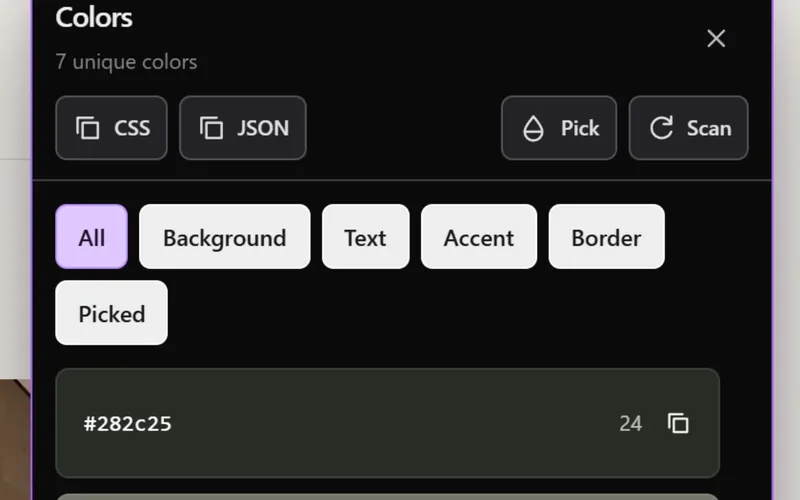
Extract colors in Sitepeel

Extract colors

08

Copy a color or export the entire palette as CSS and JSON.
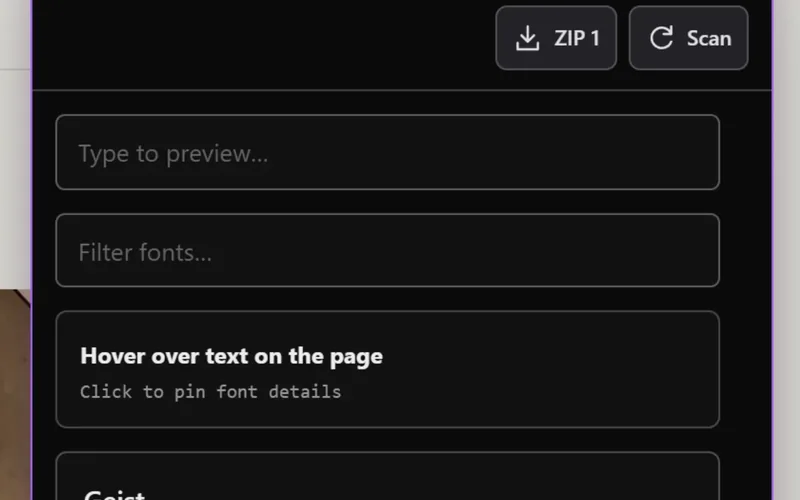
Detect fonts in Sitepeel

Detect fonts

09

Hover over text to see its font, size, weight and line height.
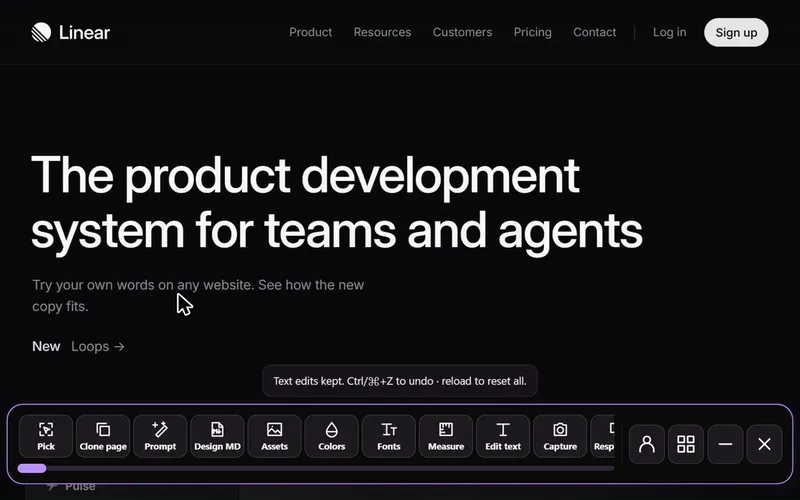
Edit text in Sitepeel

Edit text

10

Click any text and try your own words. See exactly how the new copy fits.
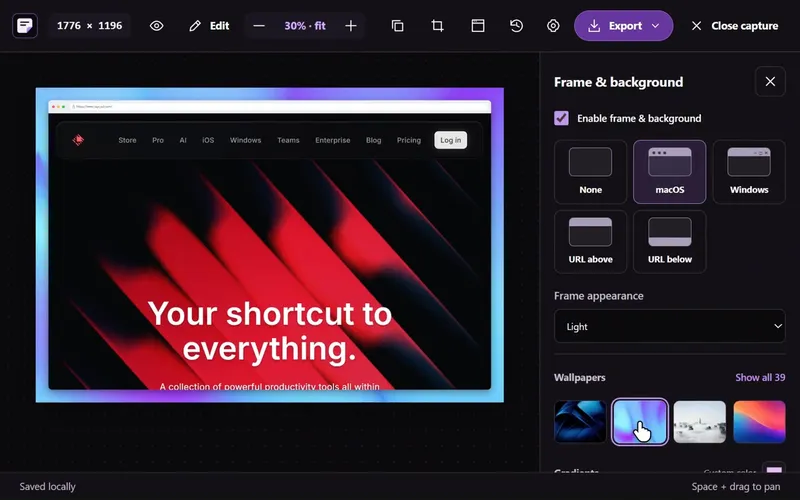
Screenshot in Sitepeel

Screenshot

11

Capture a page, snip or element. Crop, annotate and export from the editor.
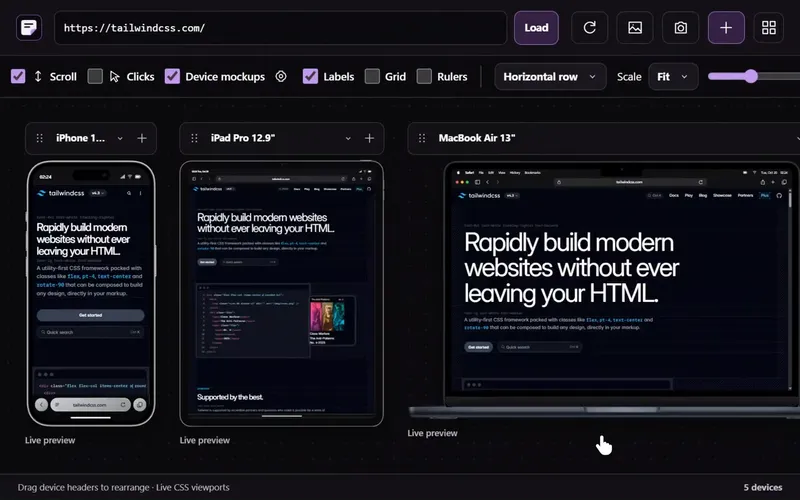
Responsive viewer in Sitepeel

Responsive viewer

12

Compare phone, tablet and desktop layouts. Drag, scale and capture your previews.
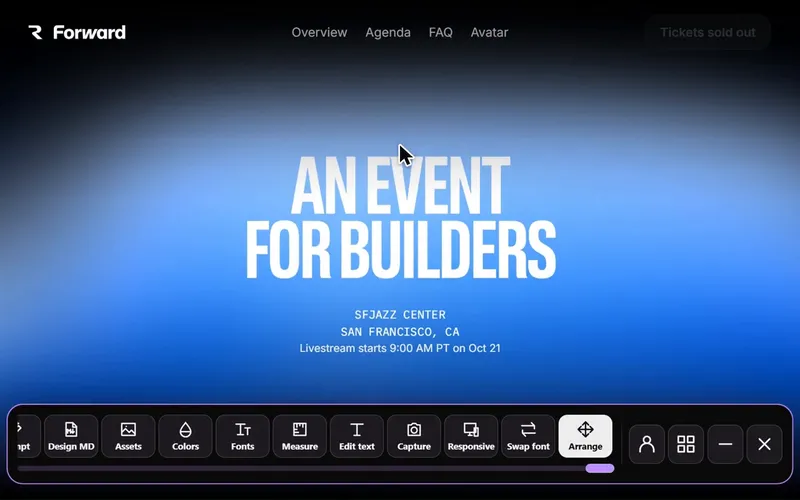
Move & delete in Sitepeel

Move & delete

13

Rearrange elements or remove them. Undo changes whenever you like.

Every tool is included with lifetime access.

Design MD for
your next build.

A design brief for your AI. Markdown for your editor. Code for your project. Keep working in the tools you already know.

DESIGN.mdYour next starting point
Claude
Cursor
ChatGPT
Copy. Paste. Keep creating.

Your browser.
A few new superpowers.

Built for Chrome, Edge and Brave on desktop.
Same Sitepeel. Same tools. Pick your favorite.

Google Chrome

Desktop extension

Microsoft Edge

Desktop extension

Brave

Desktop extension

Free to start.
Pay once for everything.

No subscription. The website tools stay free.

Website tools

For anyone who wants a site’s details, fast.

Freeno sign-in to start

Start for free

Lifetime accessPay once

For people who build websites every week.

…one-time

Get lifetime access

Goes straight to secure checkout. By continuing you agree to the Terms and Refund Policy.

  • Unlimited clone prompts and DESIGN.md files
  • Unlimited asset downloads, any site
  • Every result saved to your library
  • Future updates included
  • No subscription. Pay once.

See what you can
build with 13 tools.

A 12-minute walkthrough of Sitepeel, from inspecting your first element to Design MD, screenshots and responsive previews.

Watch + follow the written guide
12:39 · Full walkthroughWatch on YouTube

Good to know.

Still curious?
Ask us anything

How do I install Sitepeel?
Click Add to Chrome to install Sitepeel from the Chrome Web Store for free. Pin Sitepeel from the puzzle-piece menu, then open a website and click its icon to use the tools. Installation is available on supported desktop browsers.
What is Sitepeel?
Sitepeel is a website inspection tool for developers and designers. Its browser extension helps you inspect elements, copy HTML and CSS, clone a rendered page, and export design details as Markdown or an AI design brief.
What does lifetime access include?
Every Sitepeel tool and lifetime updates with one purchase. No subscription. Add the extension, then sign in with Google on the welcome page to buy and activate lifetime access. You can try the tools on this page before buying.
Do I need an AI key?
No. Sitepeel creates extracted design prompts and Design MD without an AI provider. You can connect your own provider for optional AI-written prompts; its usage charges are separate.
How does Sitepeel handle my information?
We don't sell your personal information. We use account details for sign-in and access. Optional AI shares selected content with your chosen provider. See our Privacy Policy for details.
What does Clone page include?
It exports the current rendered HTML and styles, with an option to include assets. It is a page snapshot; a website's backend, database and login system are not included. You are responsible for having permission to reuse extracted material.
Can I get a refund?
Try the tools on this page and review browser compatibility before buying. We do not offer voluntary refunds after purchase. This does not limit statutory consumer rights or Dodo Payments' applicable terms.
Which browsers can I use?
Sitepeel is built for Chromium desktop browsers, including Chrome, Edge and Brave. Browser settings pages and extension stores cannot be inspected. The website tools work on mobile; installing the extension requires a supported desktop browser.