On this page8
Step by step
Paste the page’s link
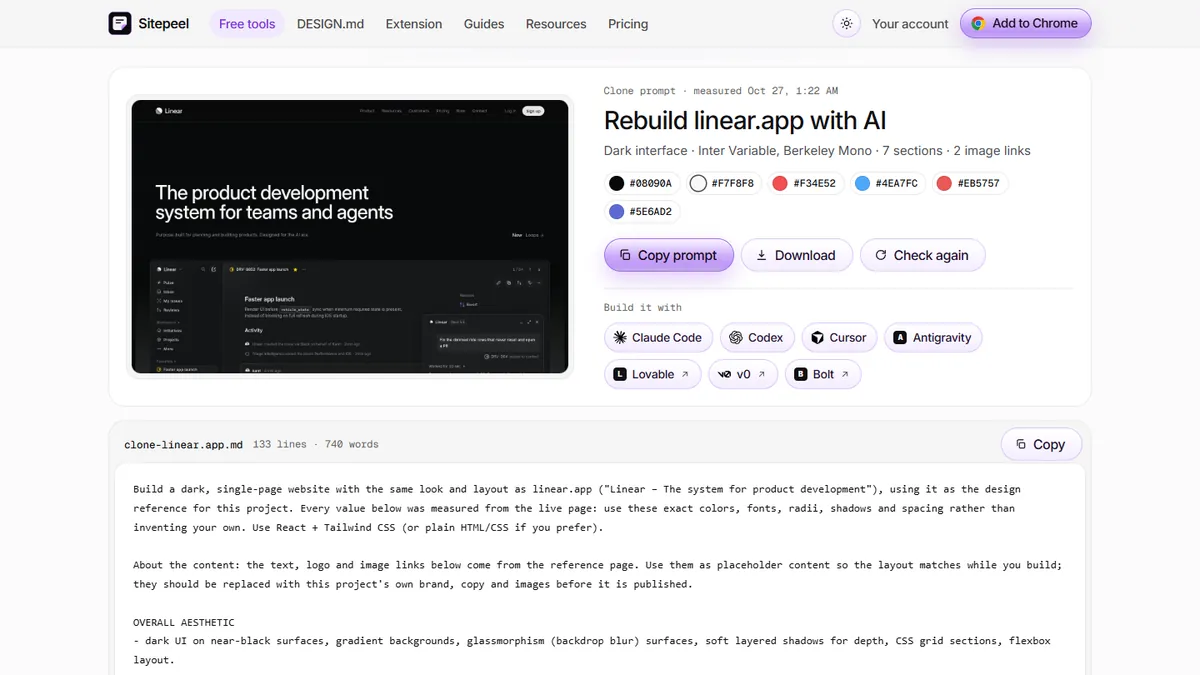
Open Sitepeel’s Clone prompt, paste the link of the page you want to rebuild, and press Clone.
Let Sitepeel measure it
It opens the page, scrolls through it and measures fonts, colors, spacing, sections and images.
Copy the prompt
Copy the prompt, or use a Build it with button, which copies it and says where to paste.
Paste it into your builder
Start a new project in Lovable, v0 or Bolt and paste the prompt as your first message.
Compare and fix
Open the original next to the result. Ask the builder to fix what differs, one thing at a time.
Replace what isn’t yours
Swap in your own logo, images and words before you publish anything.
What each builder says about cloning
We read each product’s own docs on November 5, 2026. “Not documented” means the pages we read don’t describe it, not that it can’t be done.
| Lovable | v0 | Bolt | |
|---|---|---|---|
| Clone from a link | Yes, website importer for public pages | Not documented | Not documented |
| From a screenshot | Yes, as a visual reference | Yes, it analyzes layout, colors and components | Partly, images as assets or style references |
| From a prompt | Yes | Yes | Yes |
| Other imports | Build with URL (layout reference) | Figma, GitHub, ZIP | Figma, Google Stitch, GitHub, Lovable |
| Free limit | 5 credits a day, up to 30 a month; first import free | 7 messages a day | 300K tokens a day, 1M a month |
| Paid from | $25 a month ($21 billed yearly) | $30 per user a month | $25 a month ($18 billed yearly) |
Why start from a measured prompt
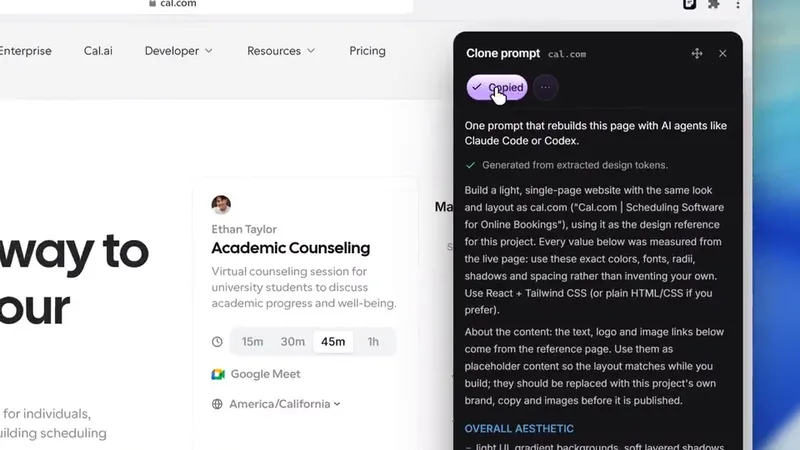
A screenshot shows how a page looks, but a builder has to guess the numbers. Clone prompt reads what renders: the real font sizes, colors, spacing, sections and image links. The builder still writes new code, so check the result against the original.
Lovable: use the importer or the prompt
Lovable’s website importer rebuilds the visible text, images, fonts, colors and layout of a public page. Sign-in, forms and backend don’t carry over, and later imports use credits. It asks you to import only sites you own or may copy. For a page behind a login, use the prompt from Sitepeel’s Chrome extension.
v0: pair the prompt with a screenshot
v0’s docs say it analyzes an uploaded screenshot for layout, colors and components, and generates code that closely matches. Add Sitepeel’s prompt so it gets the measured values too. v0 builds in React and Next.js with shadcn/ui, and deploys to Vercel.
Bolt: paste the prompt, keep an eye on tokens
Bolt’s help pages list prompts, templates, files, Figma, Google Stitch, GitHub and Lovable imports as ways to start, and you can attach images as style references. A long prompt uses tokens, and the free plan has 300K a day, so fix one thing at a time.
What no builder can clone
These tools rebuild how a page looks. Server code, databases, sign-in and payments stay on the original site, so you build your own.
Questions
Can Lovable clone a website?
Yes, for public pages. Its website importer rebuilds the visible text, images, fonts, colors and layout. The first import is free. Backend, sign-in and forms don’t carry over.
Can v0 clone a website from a link?
The docs we read describe cloning from screenshots or Figma files, not from a link. Upload a screenshot, or paste a measured prompt from Sitepeel’s Clone prompt.
Can Bolt clone a website?
Its help pages list no import from a link. You can attach images as style references, or paste a Clone prompt from Sitepeel as your first message.
Is cloning a website with AI legal?
Learning from a design is fine, but a site’s logos, images, text and brand belong to its owner. Lovable also asks you to import only sites you own or may copy.
Which is free: Lovable, v0 or Bolt?
All three have free plans with limits: Lovable has 5 credits a day, v0 has 7 messages a day, and Bolt has 300K tokens a day.