ASSETS & SCREENSHOTS

How to download 3D models from a website

If the page loads a model file such as GLB, glTF or USDZ, you can save it from the Network panel or with a free asset extractor.

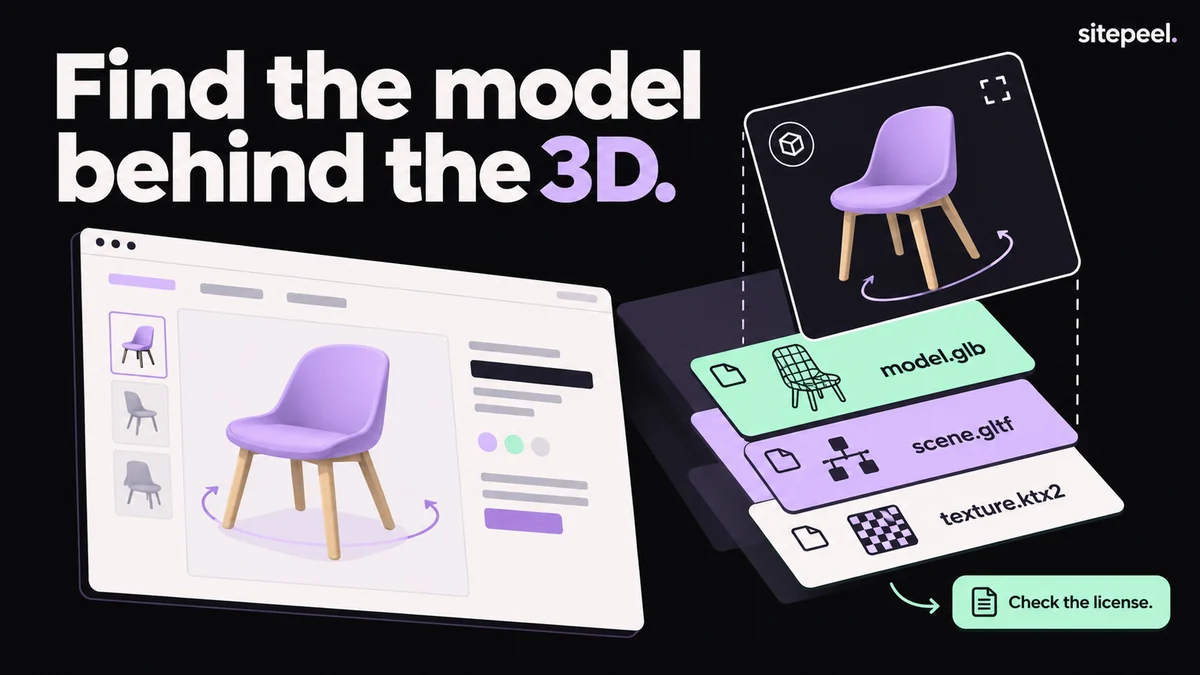
“Find the model behind the 3D.” A product page with a 3D chair; its viewer lifts away to reveal model.glb, scene.gltf and texture.ktx2, with a note to check the license.
The models, scenes and textures a page loads.

In short

  • You can only save a model the page loads as a file
  • GLB is one self-contained file; glTF needs its .bin and texture files beside it
  • Spline scenes are .splinecode files for Spline’s player, not editable projects
  • Models belong to the site’s owner: ask before you reuse one

Try it free · Asset extractor

Free. No install.

01

Paste the link

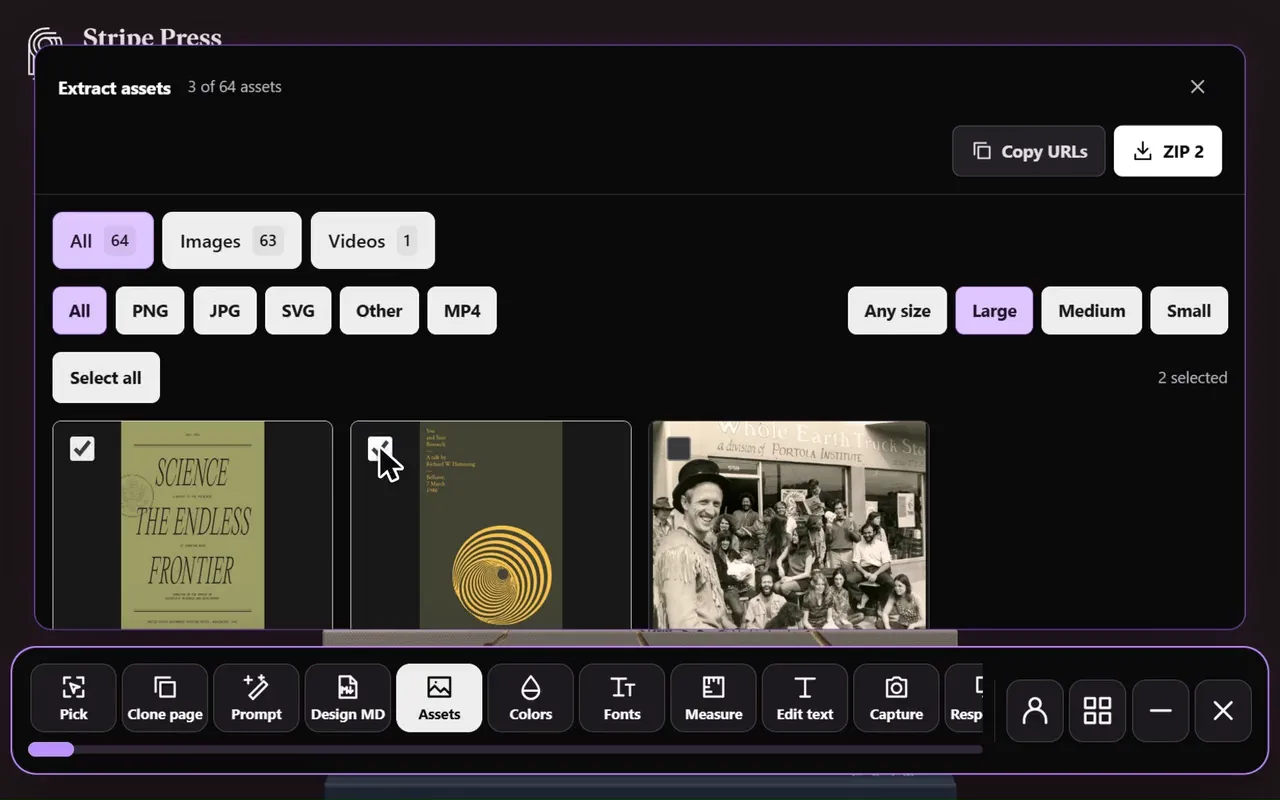
Paste the page’s link into the free asset extractor. Sitepeel opens the page and lists every 3D file it loads.

02

Check what was found

Open each file to see its format, file size and where it was found, plus a picture of each 3D scene.

03

Download the files

Download the files you need one by one, or every file as one ZIP.

04

Open the model

Open GLB or glTF in Blender or a glTF viewer. Open USDZ with Quick Look on an iPhone or iPad.

Which 3D files can you save?

TipWeb GLBs are often compressed with Draco or Meshopt. If one won’t open, try another up-to-date glTF viewer.

3D files websites load, and what opens them
FormatWhat it isOpen it in
GLBBinary glTF: meshes, materials, textures and animation in one fileBlender, glTF viewers, three.js
glTFA .gltf JSON file that points to .bin data and image texturesThe same, with all its files kept together
USDZApple’s AR format, often offered to iPhone and iPad visitorsQuick Look on iPhone and iPad
OBJ and FBXOlder mesh formats some scripts still loadBlender and most 3D apps
.splinecodeA Spline scene exported for the webSpline’s web runtime
HDR and EXREnvironment maps that light the sceneBlender and HDR image editors
Website image downloader in the Sitepeel interface
Website image downloader in actionExplore the tool

Find model files in DevTools

TipSave a glTF with its .bin and texture files in the same folders, or the model opens without them.

  • Open DevTools, go to Network and reload the page.
  • Scroll or interact until the 3D scene appears; many models load late.
  • Type glb in the filter box, then try gltf, usdz and splinecode.
  • In Elements, check <model-viewer> for src and ios-src, and <spline-viewer> for url.
  • Right-click a request, choose Copy > Copy URL, and open it in a new tab to download.

When there is no file to save

In these cases the asset extractor still gives you a picture of each 3D scene as it looked on the page.

  • Shapes built in code, such as three.js geometry or shaders, never exist as a model file.
  • Some sites pack models in their own formats that only their code can read.
  • A .splinecode file plays in Spline’s runtime; it is not the editable .spline project.
  • Very heavy 3D pages may not load fully; the extractor still lists the files they did load.

Can you reuse a downloaded model?

Models, textures and scenes belong to the site’s owner or the artist they licensed them from. Use them for reference, and get permission or a license before you reuse or publish them.

Further reading

Khronos: glTF overviewSpline runtime: loading .splinecode scenesBlender manual: glTF 2.0 import and export<model-viewer> documentationApple: AR Quick Look

A few useful answers.

Can you download a 3D model from any website?

Only when the page loads it as a file, such as GLB, glTF, USDZ, OBJ or FBX. Scenes built in code or packed in a site’s own format have no file to save, though you can still capture a picture.

How do I open a GLB file?

Import it in Blender with File > Import > glTF 2.0, drop it into an online glTF viewer, or load it in three.js with GLTFLoader.

Can I download a Spline 3D scene from a website?

You can save the .splinecode file the page loads, but it is made for Spline’s runtime. It is not the editable Spline project or a standard model format like GLB.

Why can’t I find the model in the Network tab?

It may load only after you scroll or interact, use an unusual file extension, or be built in code. Reload with the Network tab open, scroll to the scene, and check the Fetch/XHR filter too.

TAKE A CLOSER LOOK

Your next starting point is already on the web.

Inspect it. Understand it. Build something of your own.

Add to ChromeFree installTry the free tools