

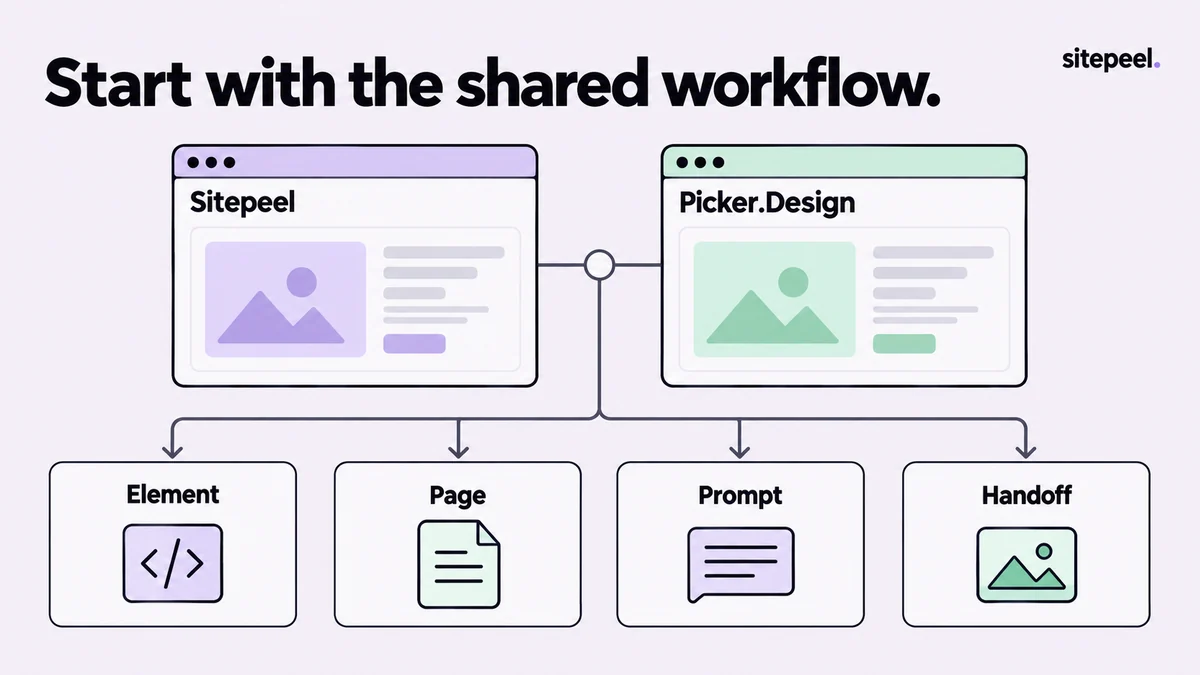
Begin with the overlap
Picker.Design advertises element and page export, design prompts, colors, assets, fonts, measurement, temporary edits and screenshots. These categories overlap with Sitepeel, so the existence of a tool button alone is not a useful deciding factor.
Choose a component on a site you own or are authorized to inspect. Keep the same viewport and page state, then define the artifact you need at the end: a component export, a design reference or an annotated review image.
Use a workflow comparison instead of a winner chart
The table below sets up an evaluation. It does not assert identical implementations or rate either product's accuracy.
| Job | Test on the same page | Useful result |
|---|---|---|
| Element export | A card with nested text, an icon and a state change | Understandable markup, styles and dependencies |
| Page reference | A long page with lazy-loaded sections | A reference whose missing behavior is clear |
| Design prompt | A page with a distinct hierarchy and palette | A brief you can edit into your own requirements |
| Visual handoff | A narrow-screen layout problem | Readable evidence with route, state and dimensions |
Where to look more closely at Sitepeel
Sitepeel includes a dedicated Design MD workflow for a reusable design reference, Responsive viewer for comparing viewport layouts, and a capture editor for cropping and annotations. If those are central to your handoff, try the actual workflow rather than inferring it from a feature name.
These guides describe the 1.0.3 tools. The public site lets you preview them on Sitepeel pages, while installed extension availability depends on the browser-store rollout. Confirm the installed version before treating a preview feature as part of your current installation.
Read the provider and license terms separately
Picker.Design describes a one-time license with lifetime updates and optional use of your own AI-provider key. Sitepeel also separates optional AI-provider usage from extension access. Compare the current terms and checkout amounts on the official sites.
Do not assume that a chat subscription pays for API requests. For an optional external AI request, review the page context being sent and the selected provider's policy. A local inspection workflow and a provider-assisted generation request have different data paths.
Inspect what remains after export
Open a component export outside its original page. Check fonts, images, variables, hover and focus, then try a narrow layout. Record manual repairs. This reveals more about fit for your work than comparing polished marketing examples.
For a design brief, ask someone to implement a small section from the reference without seeing the original page. Note which decisions they had to guess. Improve the brief and choose the workflow that leaves the least ambiguity for your own team.
Comparison decision
Required deliverable:
Reference route and state:
Missing dependencies after export:
Details the brief left ambiguous:
Version and plan checked:
Chosen workflow and reason:
How this comparison was prepared
Published by Sitepeel. Product descriptions were checked against the official pages linked below on September 29, 2026. This is a workflow comparison, not a hands-on performance benchmark. Plans and features can change; confirm the current version and terms before purchasing.