CODE & CLONING

How to find out what a website is built with

Look for the traces a stack leaves in the page: file paths, HTML attributes, generator tags and response headers. A free checker collects them with the evidence.

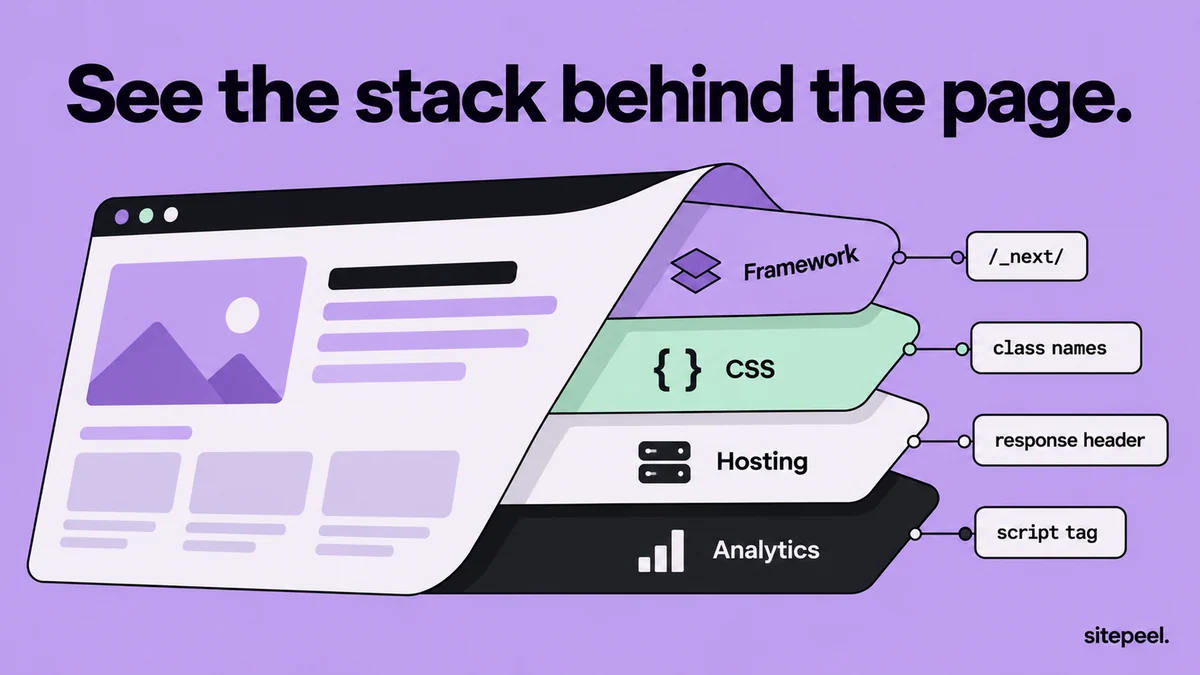
“See the stack behind the page.” A web page peels back to show its framework, CSS, hosting and analytics layers, each with its evidence: /_next/, class names, a response header and a script tag.
Each result comes with the evidence behind it.

In short

  • Frameworks and builders leave traces: file paths, attributes, generator tags and headers
  • Trust results that show evidence; two independent clues beat one
  • Servers, databases and back-end code never reach the browser
  • A CDN such as Cloudflare can hide the host behind it

Try it free · Built with

Free. No install.

01

Paste the link

Paste the site’s link into the free built-with checker. Sitepeel opens the page and lists what it finds.

02

Check the evidence

Each result shows its evidence: a framework marker, a script or asset address, a response header or a CSS pattern.

03

Or view the source

Press Ctrl+U (Cmd+Option+U on Mac) and search for _next, wp-content, data-wf or generator.

04

Read the response headers

In DevTools, open Network, reload, select the first document request and read its response headers.

Clues that name a framework or builder

Common traces in the page and what they usually mean
ClueWhere to lookUsually means
/_next/ in script pathsPage source, NetworkNext.js
/_nuxt/ in script pathsPage source, NetworkNuxt
/_astro/ files, <astro-island> elementsPage sourceAstro
ng-version attributeElementsAngular
data-v-… attributesElementsVue
/wp-content/ and /wp-includes/Page sourceWordPress
cdn.shopify.com filesPage source, NetworkShopify
data-wf-site and data-wf-pageElementsWebflow
framerusercontent.com filesNetworkFramer
static.wixstatic.com filesNetworkWix
<meta name="generator">Page sourceThe CMS or builder, unless removed
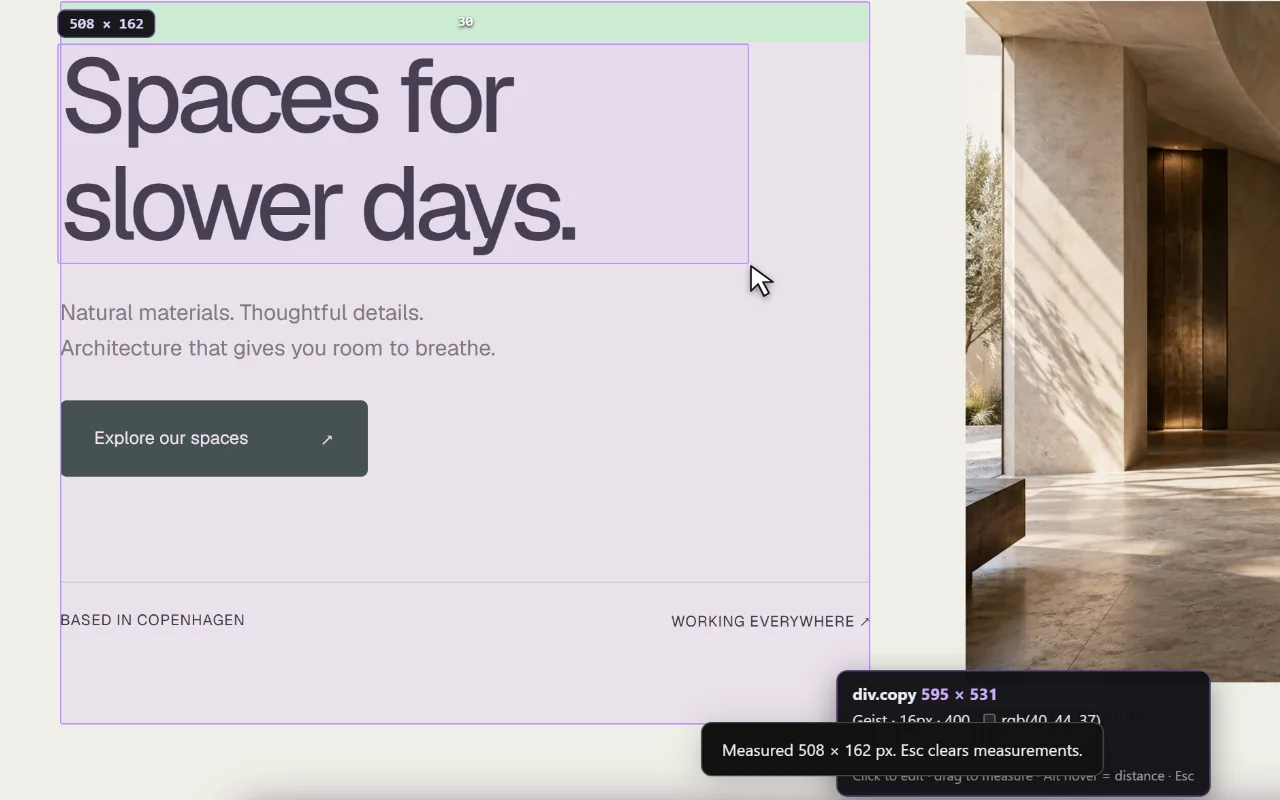
CSS inspector & ruler in the Sitepeel interface
CSS inspector & ruler in actionExplore the tool

Clues in the response headers

TipA proxy such as Cloudflare can replace the host’s own server header, so look for other clues too.

Headers that hint at hosting and the server
HeaderUsually means
server: cloudflare, cf-rayCloudflare, often in front of another host
server: Vercel, x-vercel-idVercel
server: Netlify, x-nf-request-idNetlify
server: GitHub.comGitHub Pages
x-amz-cf-idAmazon CloudFront
x-powered-by: Next.js, Express or PHPThe framework or server language, unless switched off

Libraries, styles, fonts and analytics

The checker also shows the fonts and colors, from the same measurements as the DESIGN.md generator.

  • Tailwind CSS: utility classes such as flex, px-4, text-sm and md:grid-cols-3 all through the markup.
  • Animation and 3D: GSAP, three.js, Lottie or Spline script files in the Network tab.
  • Analytics: requests to googletagmanager.com, plausible.io or posthog.com, for example.
  • Fonts: requests to fonts.googleapis.com or use.typekit.net (Adobe Fonts), or self-hosted .woff2 files.

Generate the full DESIGN.md free

What no checker can see

Treat each result as evidence, not proof. Two independent clues, such as a file path and a header, are stronger than one.

  • Back-end code, databases and APIs that stay on the server
  • Traces the site removed, such as generator tags or x-powered-by headers
  • Frameworks hidden by a custom build that renames their usual paths
  • The real host behind a CDN or proxy

Check whether a site looks AI-generated

Further reading

Next.js: the x-powered-by header (poweredByHeader)Vercel: response headersCloudflare: HTTP headers

A few useful answers.

How can I tell what CMS a website uses?

View the page source and look for a generator meta tag or telltale paths, such as /wp-content/ for WordPress or cdn.shopify.com for Shopify. Site builders like Webflow, Framer and Wix also load files from their own domains.

How do I know if a site uses Next.js?

Look for script files under /_next/ in the page source or Network tab. An x-powered-by: Next.js response header confirms it, unless the site turned that header off.

Can I see what database or back end a website uses?

Usually not. Databases, server code and APIs stay on the server. Headers such as x-powered-by sometimes name the server language or framework, but many sites remove them.

Why is part of the stack missing from the results?

Server-side tools and code that never reaches the browser can’t be seen from outside, and some sites hide or rename their tools. A result only appears when there is a clear sign.

TAKE A CLOSER LOOK

Your next starting point is already on the web.

Inspect it. Understand it. Build something of your own.

Add to ChromeFree installTry the free tools