On this page7
How it works
Add Sitepeel to Chrome
Install it free from the Chrome Web Store and pin it to your toolbar. It works in Edge and Brave too.
Open Responsive viewer
On the page you want, click the Sitepeel icon and choose Responsive viewer. In this website demo, try it on a public Sitepeel page.
Pick your screens
Change a device from its header, add another preset or a custom size, then compare, scroll and capture.
A mobile view switcher for any tab
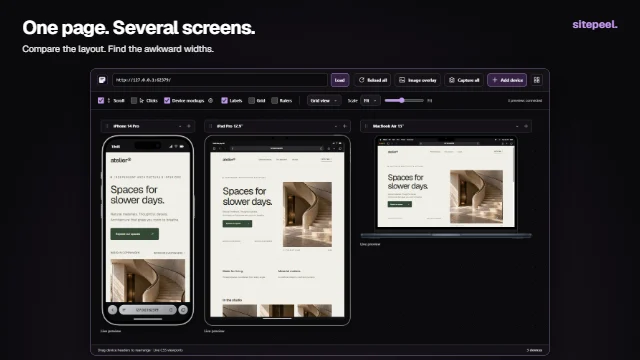
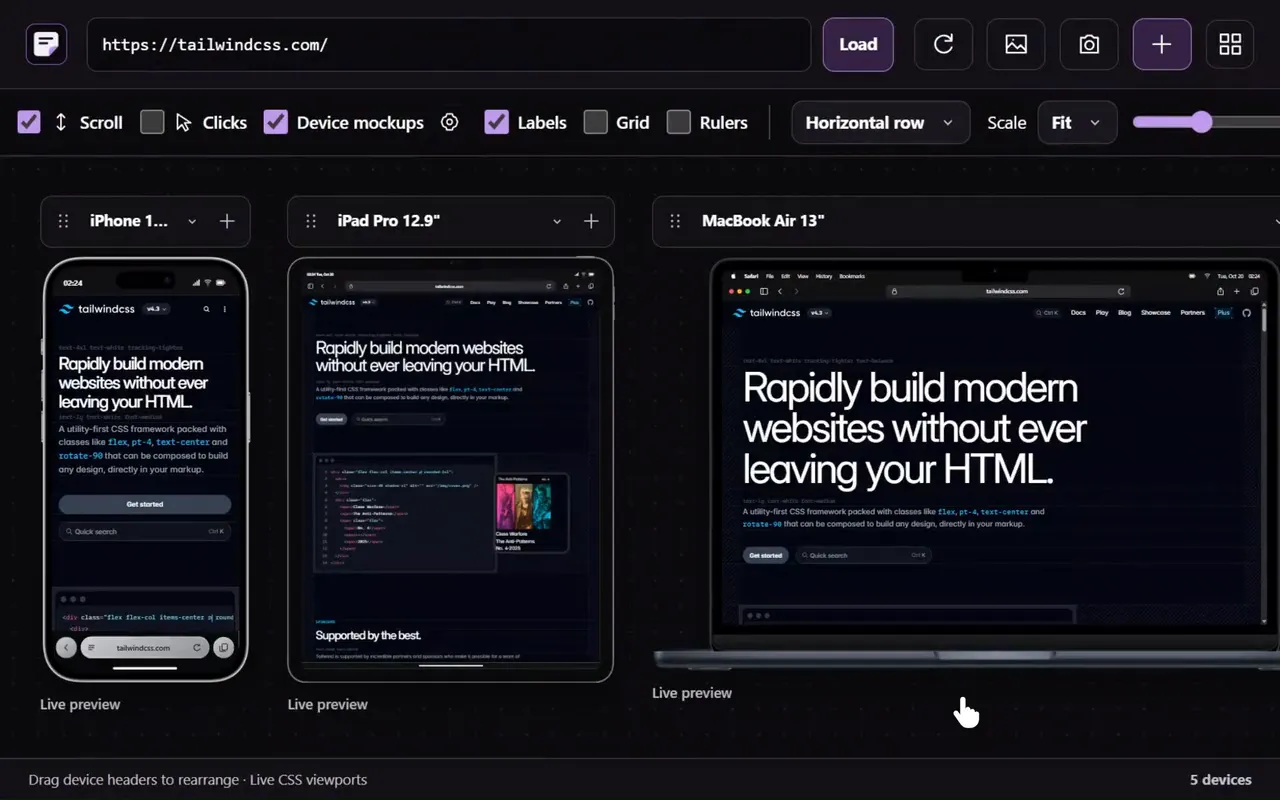
Use phone, tablet, laptop, desktop and foldable presets, or set a custom CSS width and height. Switch to a different device from its name dropdown. Expand a device’s controls when you need rotation, scale or capture, then collapse them to focus on the page.
Arrange previews in a grid, row, stack or free canvas. Drag device headers to place them freely, fit previews to the available space and use a scale slider for closer inspection.
Compare the same details across widths
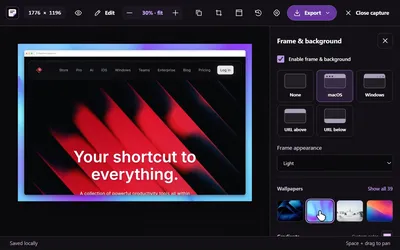
Synchronized scrolling helps you compare corresponding sections. Optional click synchronization, grid and ruler overlays, labels and reference-image overlays support more focused reviews. Capture a device preview or the set when you need to share the result.
Device mockups add a visual frame and optional status and browser controls. Their appearance can help communicate a reference; the usable page dimensions remain the important measurement. Some model artwork and browser controls are approximations.
Foldable layouts and custom breakpoints
Supported foldable presets offer open/closed or single/dual modes to compare different layout space. Add custom dimensions near a breakpoint to check the widths between familiar devices.
These previews resize the page. They do not emulate device operating systems, physical hinges, touch hardware or viewport-segment APIs. Test those behaviors on appropriate hardware and developer tools.
Sitepeel, Responsive Viewer and the free checker
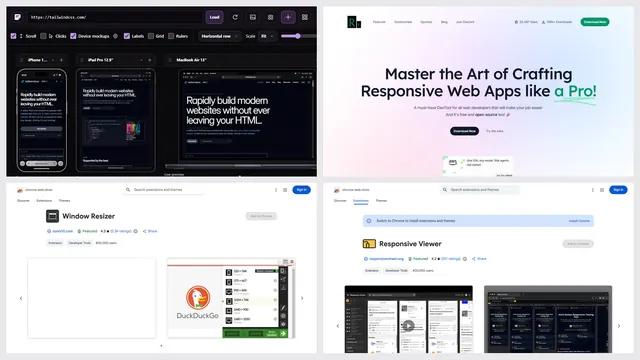
Responsive Viewer is a popular extension with the same idea; its free version shows ads and a limited set of screens. Its facts are from its own site, checked on 27 October 2026.
| Sitepeel extension | Free responsive checker | Responsive Viewer | |
|---|---|---|---|
| Pages behind a login | Yes | No, public links only | Yes |
| Several screens side by side | Yes | Yes, up to 12 | Yes |
| A canvas you arrange | Yes | No | Yes |
| Synced scrolling | Yes | Yes | Yes |
| Device frames | Yes | Yes | Yes |
| Lists layout problems for you | No | Yes | No |
| Install | Free, from the Chrome Web Store | Nothing to install | Free, from the Chrome Web Store |
| Price | A 24-hour trial, then lifetime access | Free | Free with ads; Professional $4.99 a month |
Know what a browser preview can tell you
The viewer uses your current browser engine. An iPhone frame in Chrome does not run Safari. Use the preview to find layout issues, then verify browser-specific behavior, mobile keyboards, touch and performance on real devices.
Some websites block embedded previews. Open those pages in a regular tab and use browser developer tools. The website demo previews Sitepeel public pages; install the extension to use the viewer with other websites.
Questions
Is there a Chrome extension to see the mobile view of a website?
Yes. Responsive viewer in the Sitepeel Chrome extension shows the page you have open at phone, tablet and desktop widths side by side, in device frames.
Is this a real-device emulator?
No. It renders CSS viewports in your current browser, with optional visual device frames. Verify operating-system and browser-specific behavior separately.
Does it change the user agent?
No. It resizes the page in your browser, so sites still see a desktop browser. To test what a site sends to phones, use the device toolbar in Chrome DevTools or a real phone.
Can I move the devices freely?
Yes. Select Free canvas and drag a device header. Use its controls or the global scale slider to adjust how much space the preview occupies.
How is it different from the free responsive checker?
The checker works from a link in any browser, phones too, and lists layout problems for you. The extension works on the page in your tab, even behind a login, on a canvas you arrange.
Is the responsive viewer extension free?
Sitepeel is free to install. Responsive viewer, like every tool in the extension, has a 24-hour trial that starts the first time you use it. After that, lifetime access is one payment. The responsive checker on our website is free.
Can I try another website in the online demo?
The demo is restricted to public Sitepeel pages. Use the installed extension to preview other websites; some sites may block embedded previews.