
DESIGN.MD & AI

How to use DESIGN.md with Claude Code

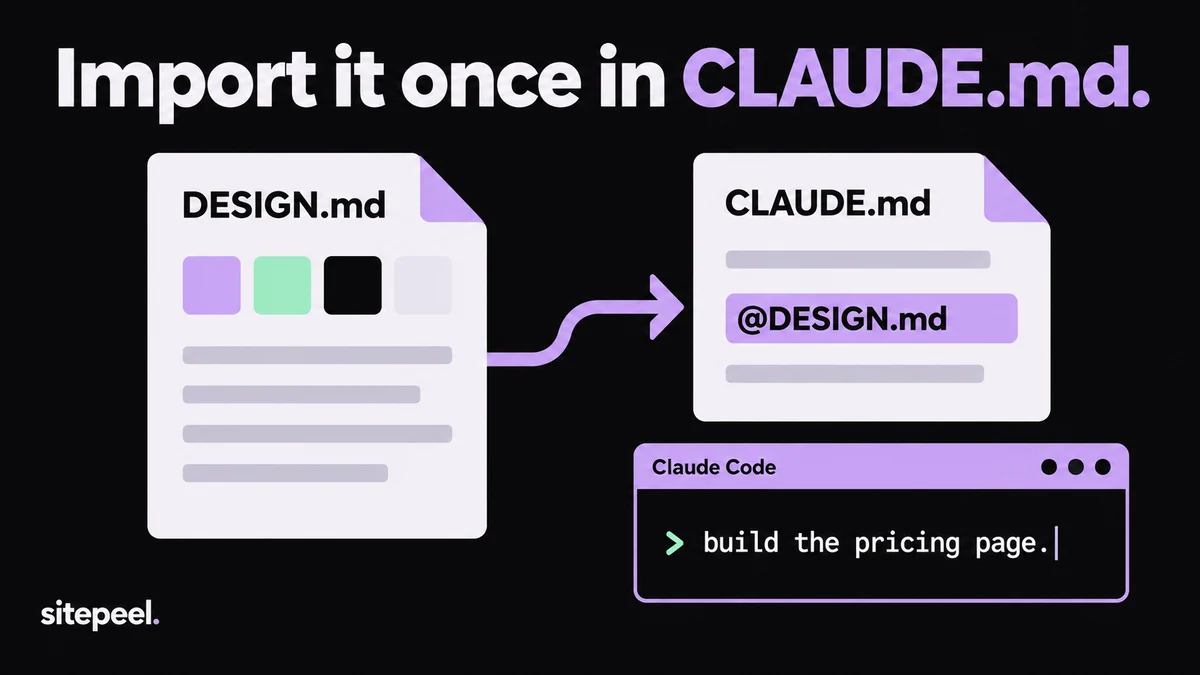
Save DESIGN.md in your project root and add @DESIGN.md to CLAUDE.md. Claude Code then loads your design tokens and rules at the start of every session.

“Import it once in CLAUDE.md.” DESIGN.md is imported into CLAUDE.md with the line @DESIGN.md, and Claude Code is asked to build the pricing page.
CLAUDE.md imports DESIGN.md, so every session starts with it.

In short

  • Claude Code doesn’t load DESIGN.md by itself; CLAUDE.md pulls it in with an @ import
  • Import paths resolve from the CLAUDE.md file, not from your terminal folder
  • Imported files load every session, so keep DESIGN.md lean

Try it free · DESIGN.md generator

Free. No install.

01

Add DESIGN.md to the root

Generate it from a site with Sitepeel or write it, then save it next to CLAUDE.md in your project root.

02

Import it in CLAUDE.md

Add a line with @DESIGN.md. No CLAUDE.md yet? Run /init to create one first.

03

Start a new session

CLAUDE.md loads at launch. Run /context to check it loaded, then ask Claude for your primary color.

04

Ask for one screen

Name the page, its content and its main action. Ask Claude to list the tokens it used.

05

Review and correct

Compare the result at phone and desktop widths. Fix DESIGN.md when the same mistake comes back.

Import DESIGN.md in CLAUDE.md

Claude Code reads ./CLAUDE.md or ./.claude/CLAUDE.md at the start of every session. An @path line expands another file into that context, so one import keeps your design rules loaded without pasting them in.

TipImports inside backticks or code blocks are ignored. Write @DESIGN.md as plain text.

CLAUDE.md
# Project instructions

## Design
Follow the design system in @DESIGN.md for all UI work.

- Use its color, typography, spacing and radius tokens. No new hex values.
- Reuse components in src/components before creating new ones.
- If DESIGN.md has no rule for a case, ask before inventing one.
- After UI changes, list the tokens and components you used.
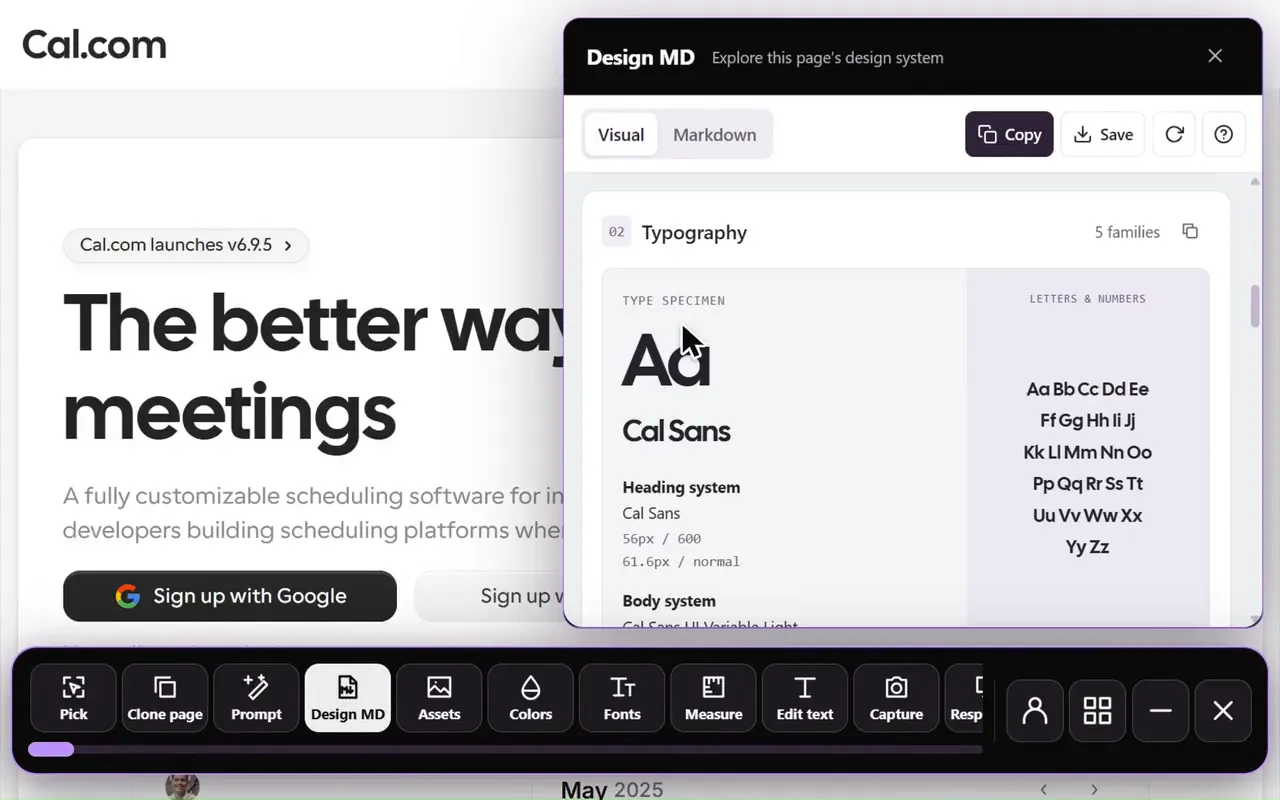
Design MD generator in the Sitepeel interface
Design MD generator in actionExplore the tool

How @ imports resolve

  • Paths resolve from the file that holds the import, not from where you launched Claude
  • Keep DESIGN.md in a subfolder? Write @docs/DESIGN.md, or use an absolute path
  • Imported files can import others, up to four hops deep
  • For a path with spaces, put a backslash before each space; quoted paths aren’t imported
  • Files outside the project trigger a one-time approval prompt
  • Imports organize files but don’t save context: the whole file loads every session

Already using AGENTS.md?

Claude Code (version 2.1.277 or later) reads AGENTS.md only when there is no CLAUDE.md or CLAUDE.local.md in your working folder or above it. If both exist, it reads CLAUDE.md. To share one setup with Codex or Cursor, put @AGENTS.md in CLAUDE.md and keep the DESIGN.md line in AGENTS.md.

Sample AGENTS.md section for DESIGN.md

Load design rules only for UI files

In a large repository, move the design rules into .claude/rules/ui.md and add a paths list to its front matter, such as src/components/**/*.tsx. Claude Code loads that rule only when it reads or edits a matching file. Tell it there to read DESIGN.md first.

Check what Claude built

  • Ask which DESIGN.md tokens it used, and look for raw hex values in the diff
  • Open the page at a phone width and a desktop width
  • Compare buttons, headings and spacing with the Components and Typography sections
  • When the same miss repeats, add a Do or Don’t to DESIGN.md
  • After editing DESIGN.md, run npx @google/design.md lint DESIGN.md

Claude still ignores the design? Check these five things

Further reading

Claude Code docs: CLAUDE.md, @ imports, rules and AGENTS.md

A few useful answers.

Does Claude Code read DESIGN.md automatically?

No. Claude Code loads CLAUDE.md files, or AGENTS.md when there is no CLAUDE.md. Add @DESIGN.md to CLAUDE.md and the file loads into every session.

Does Claude Code read AGENTS.md?

Yes, from version 2.1.277, when there is no CLAUDE.md or CLAUDE.local.md in your working folder or above it. If both exist, it reads CLAUDE.md only, unless CLAUDE.md imports @AGENTS.md.

How do I import a file in CLAUDE.md?

Write @ followed by the path, such as @DESIGN.md or @docs/DESIGN.md. Relative paths resolve from the CLAUDE.md file. Imported files can import others, up to four hops deep.

Where should DESIGN.md go for Claude Code?

The project root, next to CLAUDE.md, is simplest: the import is just @DESIGN.md. Any folder works as long as the import path matches.

TAKE A CLOSER LOOK

Your next starting point is already on the web.

Inspect it. Understand it. Build something of your own.

Add to ChromeFree installTry the free tools