

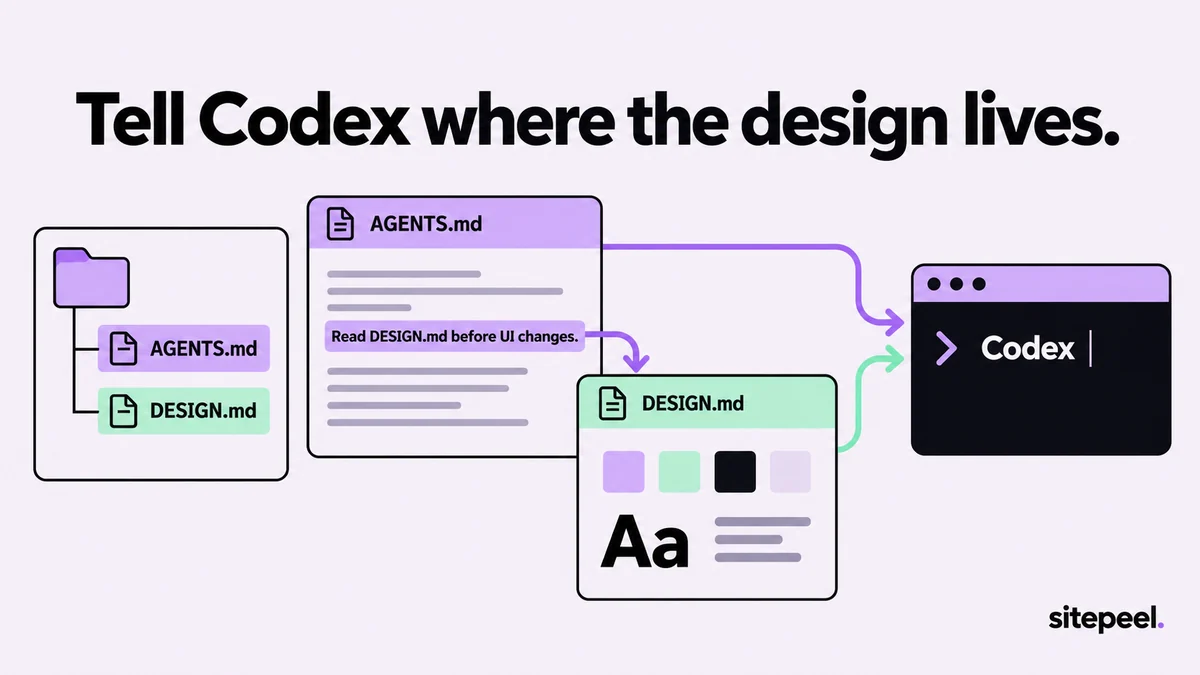
Sample AGENTS.md section for DESIGN.md
Codex’s docs describe no way to import one file into AGENTS.md, so the section names DESIGN.md and says when to open it. Codex then reads it like any other file in the repository.
# AGENTS.md

## UI and design
- Before any UI change, read DESIGN.md in the repository root.
- Use its color, typography, spacing and radius tokens. No new hex values.
- Reuse existing components; follow DESIGN.md's Do's and Don'ts.
- If DESIGN.md has no rule for a case, say so instead of inventing one.
- In your summary, list the tokens and components you used.
Where Codex looks for instructions
TipDon’t list DESIGN.md as a fallback filename: Codex reads one file per folder, so it’s skipped wherever AGENTS.md exists.
- Global: ~/.codex/AGENTS.md, or AGENTS.override.md if present; CODEX_HOME changes the folder
- Project: every folder from the repository root down to where you start Codex
- In each folder: AGENTS.override.md, then AGENTS.md, then fallback names; one file per folder
- Files closer to your working folder come later, so their rules win
- Empty files are skipped; reading stops at 32 KiB combined, set by project_doc_max_bytes
Point Codex at DESIGN.md in a prompt
In the Codex CLI, type @ to search for a file and add its path to your prompt, or use /mention DESIGN.md. To show a reference screen, start Codex with --image and a screenshot, or paste the image into the composer.
Check what Codex built
- Start Codex with --cd and a subfolder to confirm nested AGENTS.md files load in order
- Search the diff for raw hex values and one-off sizes
- Open the page at phone and desktop widths and compare it with DESIGN.md
- Instructions look stale? Restart Codex; it rebuilds them on every run, with no cache to clear