
DESIGN.MD & AI

How to use DESIGN.md with Cursor

Save DESIGN.md in your project, then add a rule in .cursor/rules that tells Cursor’s Agent to follow it for UI work. AGENTS.md and @ mentions also work.

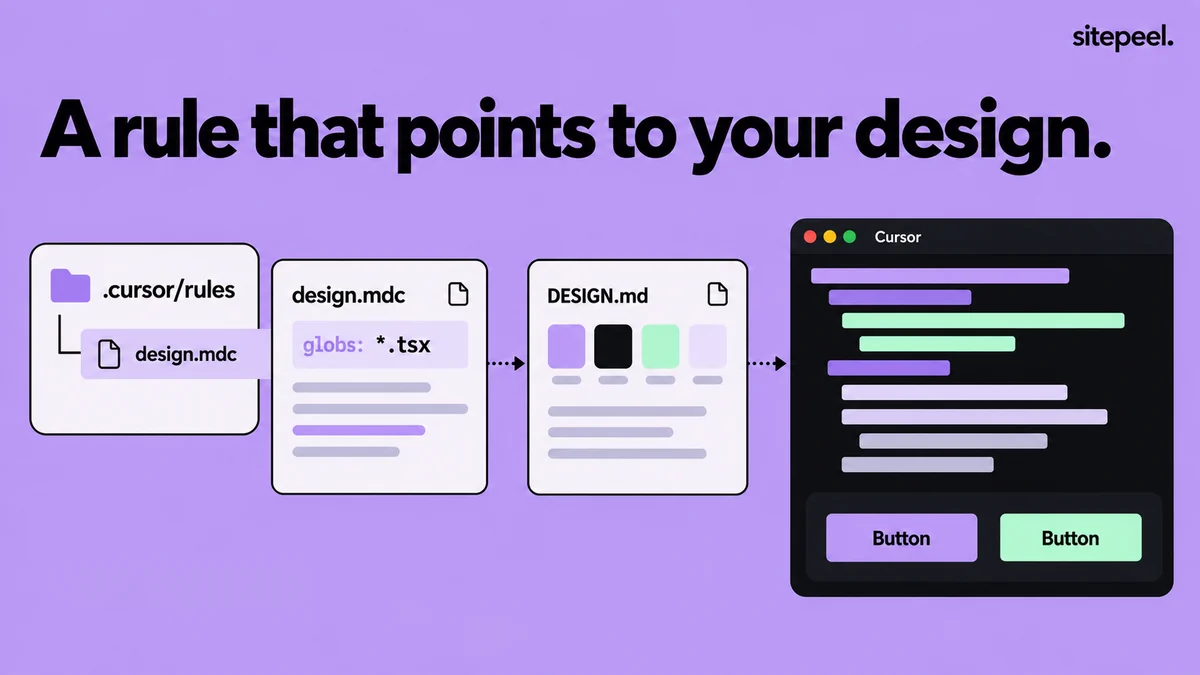
“A rule that points to your design.” A design.mdc rule in .cursor/rules with globs for .tsx files points to DESIGN.md, and Cursor builds buttons in its colors.
A project rule points Cursor at DESIGN.md for UI files.

In short

  • Cursor project rules are .mdc files in .cursor/rules; plain .md files there are ignored
  • An @DESIGN.md mention in a rule is a pointer: Agent reads the file when it needs it
  • AGENTS.md works too, in the root and in subfolders

Try it free · DESIGN.md generator

Free. No install.

01

Add DESIGN.md to the project

Generate it from a website with Sitepeel, review it and save it in the project root.

02

Create a project rule

Type /create-rule in Agent chat, or open Customize, then Rules, then Add Rule.

03

Set when it applies

Use globs for your UI files, or alwaysApply: true for a small, UI-heavy project.

04

Mention it for new pages

For a page with no files yet, add @DESIGN.md to your prompt so Agent reads it first.

05

Check the result

Ask which tokens Agent used, then compare the page with DESIGN.md at phone and desktop widths.

Sample Cursor rule for DESIGN.md

Save this as .cursor/rules/design.mdc. With globs set and alwaysApply false, Cursor attaches the rule when a matching file is in context.

TipCursor doesn’t paste @DESIGN.md into the prompt. Put must-follow rules, such as “no new hex values”, in the rule body.

.cursor/rules/design.mdc
---
globs: src/**/*.tsx, src/**/*.css
alwaysApply: false
---

- Read @DESIGN.md before changing any UI.
- Use its color, typography, spacing and radius tokens. No new hex values.
- Reuse existing components and follow its Do's and Don'ts.
- If DESIGN.md has no rule for a case, say so instead of inventing one.
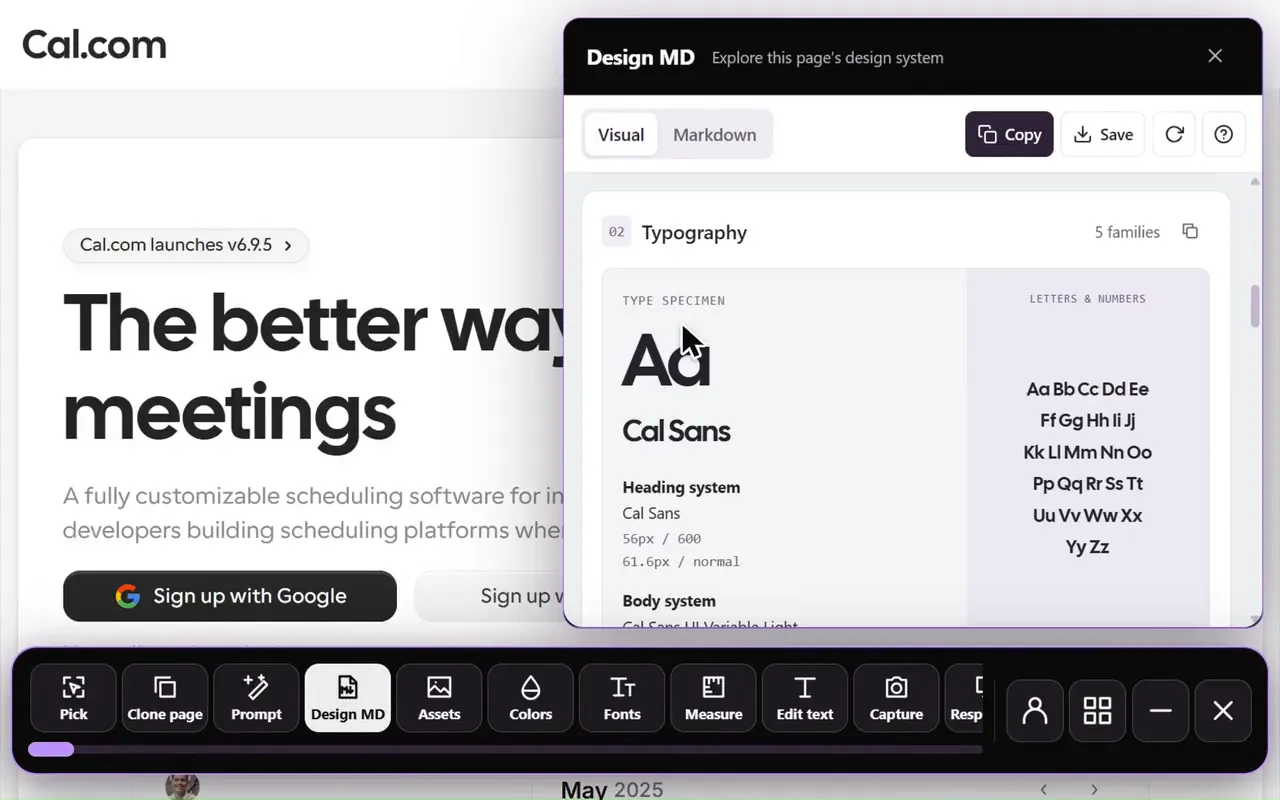
Design MD generator in the Sitepeel interface
Design MD generator in actionExplore the tool

Choose how the rule is applied

TipA plain .md file in .cursor/rules is ignored. Use .mdc, or use AGENTS.md for plain Markdown.

Cursor rule types and their front matter
TypeFront matterWhen it loads
Always ApplyalwaysApply: trueEvery chat
Apply to Specific Filesglobs, alwaysApply: falseWhen a matching file is in context
Apply Intelligentlydescription, alwaysApply: falseWhen Agent judges the description relevant
Apply ManuallyalwaysApply: false onlyWhen you @-mention the rule in chat

Use AGENTS.md instead of a rule

Cursor reads AGENTS.md, a plain Markdown file with no front matter, in the project root and in subfolders. Nested files combine with their parents, and the more specific file wins. If your repository already has AGENTS.md for Codex or Copilot, add a short UI section there.

Sample AGENTS.md section for DESIGN.md

Check what Agent built

  • Ask Agent to list the DESIGN.md tokens and components it used
  • Search the diff for new hex values and one-off pixel sizes
  • Open the page at phone and desktop widths and compare it with DESIGN.md
  • Rule not applied? Check the .mdc extension and that your globs match the files
  • Keep each rule under 500 lines, as Cursor’s docs advise

Agent still ignores the design? Check these five things

Further reading

Cursor docs: RulesCursor help: @ mentions and context

A few useful answers.

Does Cursor read AGENTS.md?

Yes. Cursor supports AGENTS.md in the project root and in subfolders. Nested files combine with parent folders, and more specific instructions take precedence. It is plain Markdown with no front matter.

Does Cursor read DESIGN.md automatically?

No. Point to it from a project rule or AGENTS.md, or type @DESIGN.md in chat. A mention inside a rule tells Agent where to look; Agent reads the file when it needs it.

Why isn’t my Cursor rule applied?

Check that the file ends in .mdc and sits in .cursor/rules. For Apply Intelligently, add a description; for Apply to Specific Files, make sure the globs match the files in context.

Do Cursor rules affect Tab completions?

No. Rules guide Agent in chat. Cursor’s docs say they don’t affect Cursor Tab or other AI features.

TAKE A CLOSER LOOK

Your next starting point is already on the web.

Inspect it. Understand it. Build something of your own.

Add to ChromeFree installTry the free tools