On this page7
Step by step
Paste the link
Paste the page’s link into the free asset extractor. Sitepeel opens the page and lists the files it loads.
Open the Audio tab
Each file has a player. Listen to check it is the one you want.
Download it
Download one file, or press ZIP for all of them.
Not listed? Use DevTools
Play the sound, then find its request in the Network panel, as shown below.
Which audio can you save?
| Kind | How it loads | Can you save it? |
|---|---|---|
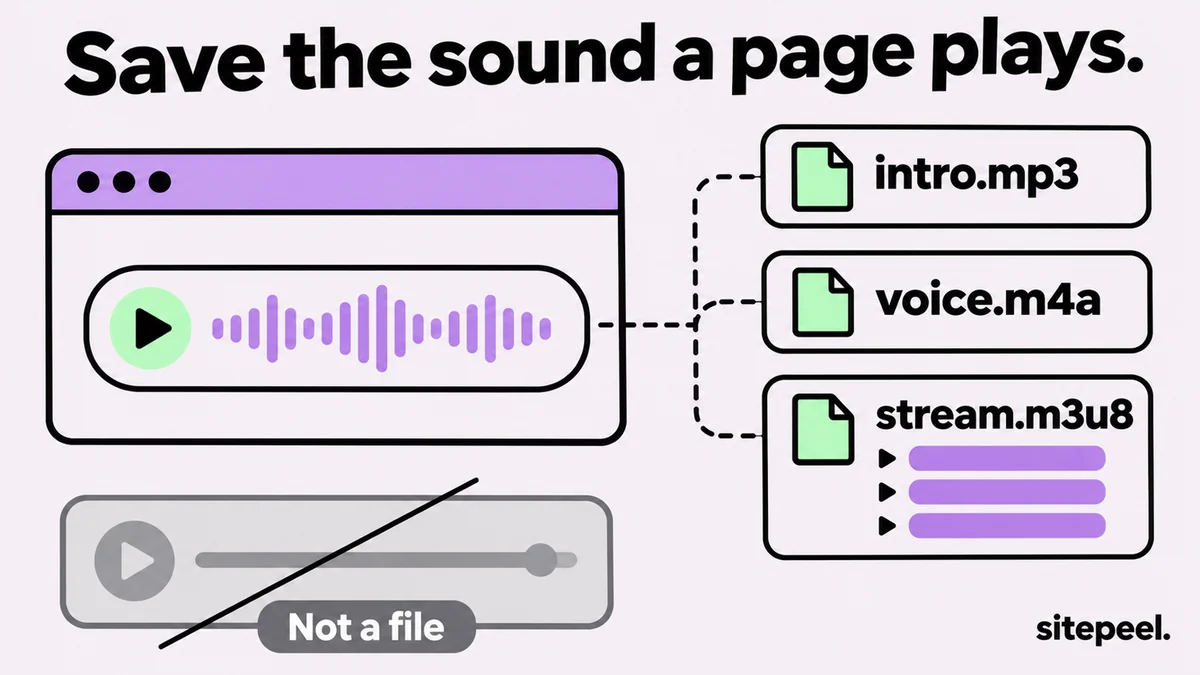
| Sound on a page | An <audio> tag with an MP3, M4A, OGG or WAV file | Yes, as the file |
| Audio player widget | A script loads the file when you press play | Yes, once it has loaded |
| Podcast episode | An MP3 listed in the show’s RSS feed | Yes, the feed links each file |
| Streamed audio | An .m3u8 playlist of short pieces | Partly, join it with ffmpeg |
| Spotify, Apple Music, SoundCloud, YouTube | Their own players and protected streams | No, use the app’s offline option |
Find the audio file in DevTools
- Open DevTools (F12), go to Network and choose the Media filter.
- Press play on the page. The audio file appears as a new row.
- Not under Media? Choose All and type
mp3,m4a,oggorm3u8. - In Elements, search for
<audioand check itssrcand<source>tags. - Right-click the request, choose Open in new tab, then save it from the player’s menu.
What the asset extractor finds
It lists the audio in <audio> tags and the audio files the page loads while it opens, each with a player. Sound that loads only after a click may not be there; use DevTools for that.
- If a download fails, press Open original to get the file from the site itself.
Get the audio out of a video
If the sound you want is in a video, download the video first, then take out its audio with ffmpeg. -vn drops the picture.
ffmpeg -i video.mp4 -vn -c:a copy audio.m4a

# or as MP3
ffmpeg -i video.mp4 -vn -q:a 2 audio.mp3Can you reuse downloaded audio?
Music, voiceovers and sound effects belong to whoever made or licensed them. Use them for reference, check the license of free sound libraries, and ask before you reuse anything else.
Questions
How do I extract audio from a website?
Paste the page’s link into a free asset extractor and open the Audio tab, or play the sound with DevTools open and find the audio request under Network, Media. Then open it in a new tab and save it.
How do I download an MP3 from a website?
Right-click the player or link and choose Save audio as or Save link as, if offered. Otherwise find the .mp3 request in the DevTools Network panel, open it in a new tab and save it.
Can I download music from Spotify or SoundCloud this way?
No. They stream protected audio through their own players, so there is no file on the page. Use their offline or download options, which follow the artists’ licenses.
How do I download embedded audio?
If the site hosts the file, it shows in the Network panel when you press play, and in the asset extractor’s Audio tab if it loads with the page. Audio embedded from a platform stays on that platform.
Is it legal to download audio from a website?
Saving a file the site plays is easy; using it is what needs permission. Music and recordings are copyrighted, so reuse them only with a license or the owner’s OK.