On this page7
Step by step
Try Save video as
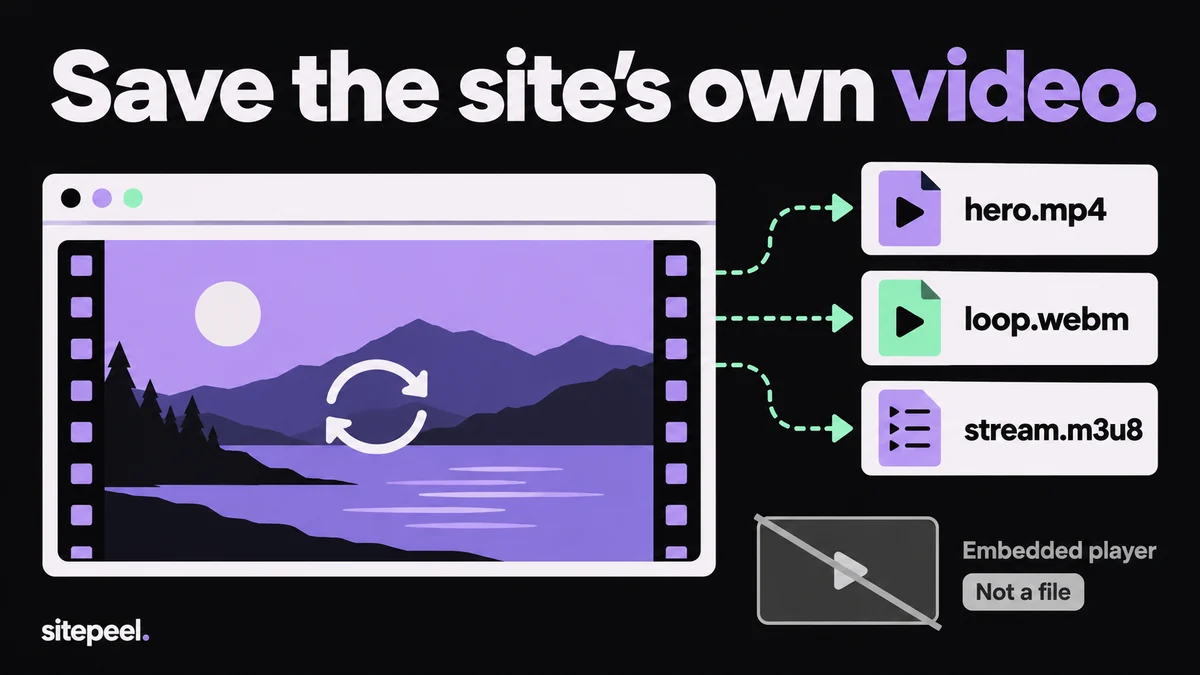
Right-click the video. If the menu offers Save video as, that saves the MP4 or WebM file.
Paste the link into a downloader
No menu? Paste the page’s link into Sitepeel’s free video downloader. It lists the video files the page loads.
Or find it in DevTools
Open DevTools, choose Network, filter by Media, reload and play the video. Open the .mp4 request in a new tab.
Convert a stream to MP4
For an .m3u8 playlist, copy its address and convert it with ffmpeg or VLC, as shown below.
Which videos can you save?
| Kind | How it loads | Can you save it? |
|---|---|---|
| Background and product videos | A <video> with an MP4 or WebM file | Yes, as the file |
| HLS or DASH stream | An .m3u8 or .mpd playlist of short pieces | Partly, save the playlist, then convert it |
| YouTube, Vimeo, social posts | The platform’s own player in an iframe | No, use the platform’s own download option |
| Protected (DRM) streams | Encrypted media for paid services | No |
What the asset extractor finds
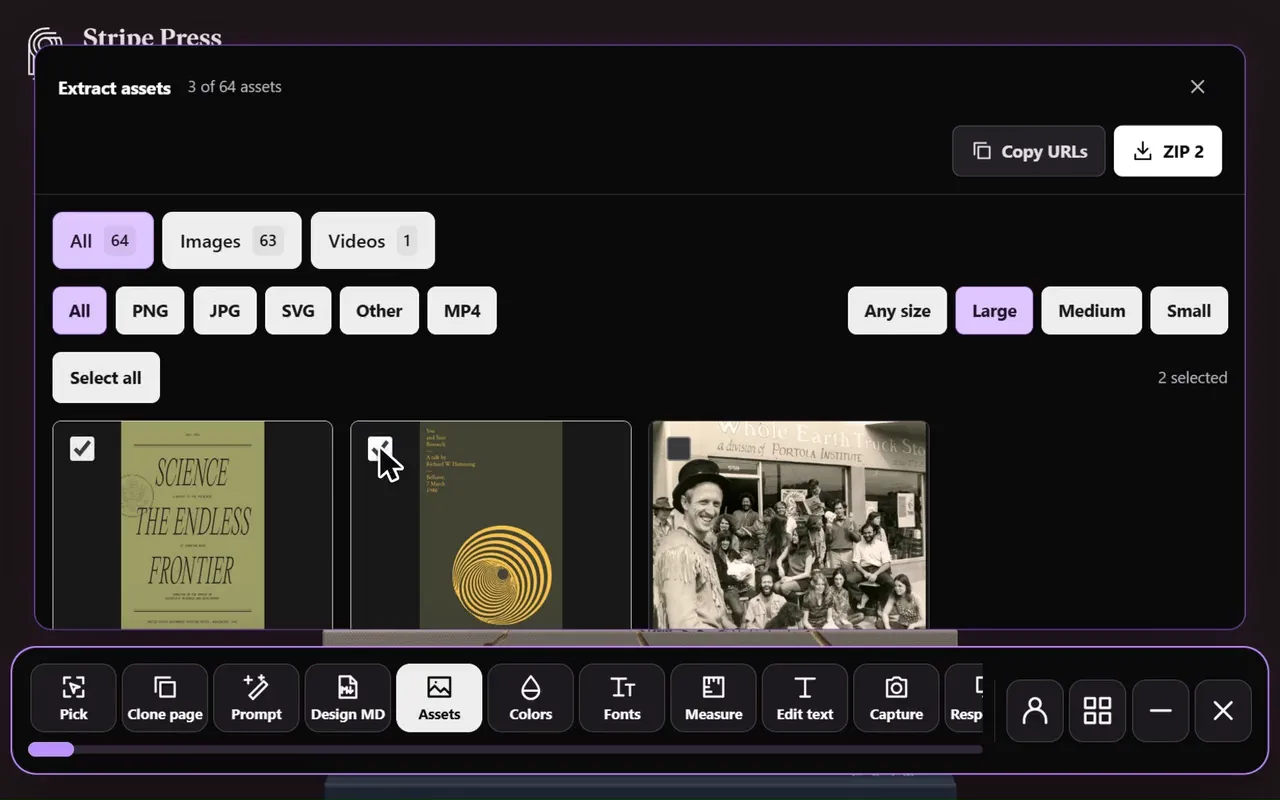
Sitepeel opens the page and scrolls it so late videos load. It lists the videos in <video> tags, their other formats, videos named in the page’s data, and video files scripts load. Each one previews with sound and downloads through Sitepeel.
- Streams show as a playlist with a note; the short pieces a player fetched may be listed too.
- Files over 60 MB download from the site itself: press Open original.
Download a video when right-click is blocked
Blocking the menu doesn’t hide the file: the browser still has to fetch it. Find it in DevTools:
- Open DevTools (F12), go to Network and choose the Media filter.
- Reload the page, then scroll to the video and play it.
- Look for .mp4 or .webm requests. For streams, choose All and type
m3u8ormpd. - In Elements, check the
<video>tag and its<source>tags for a src. - Right-click a request, choose Open in new tab, then save it from the player’s menu.
YouTube and Vimeo: what to do instead
Their videos live on the platform and stream in pieces through its own player, so there is no file on the page to save. YouTube’s terms don’t allow downloading except where YouTube offers it. Use what each platform gives you:
- YouTube: save videos for offline viewing in the YouTube app with Premium
- Your own YouTube uploads: download them from YouTube Studio
- Vimeo: use the Download button when the owner has turned it on
- Anywhere else: ask the creator for the file
Turn an HLS playlist into one MP4
An .m3u8 file is a short text list of video pieces. Give its address to ffmpeg, which fetches the pieces and joins them without re-encoding. In VLC, use Media > Convert / Save and paste the address on the Network tab.
ffmpeg -i "https://example.com/video/playlist.m3u8" -c copy video.mp4Questions
How do I directly download a video from a website?
Right-click the video and choose Save video as. If there is no such option, paste the page’s link into a free video downloader, or find the .mp4 in DevTools: Network, the Media filter, then reload and play.
How do I download a video from a site that doesn’t allow it?
If only right-click is blocked, use DevTools or a video downloader: the file is still public. Protected (DRM) streams and YouTube or Vimeo players have no file to save; use the platform’s own download option or ask the owner.
How do I download videos from Chrome?
Right-click and choose Save video as. Otherwise press F12, open Network, choose Media, reload and play the video, then open the .mp4 request in a new tab and save it from the player’s menu.
How do I download an m3u8 video?
Copy the playlist’s address, then run ffmpeg -i with that address and -c copy video.mp4, or open it in VLC with Media > Convert / Save. It only works for streams that aren’t encrypted.
Can I use videos I download from a website?
Not without permission. They belong to the site’s owner or whoever made them. Use them for reference, or ask for a license before you reuse them.