ASSETS & SCREENSHOTS

How to take a full-page screenshot of a website online

Paste the link into a free online screenshot tool and choose Full page. It scrolls the site so lazy images load, then captures it top to bottom.

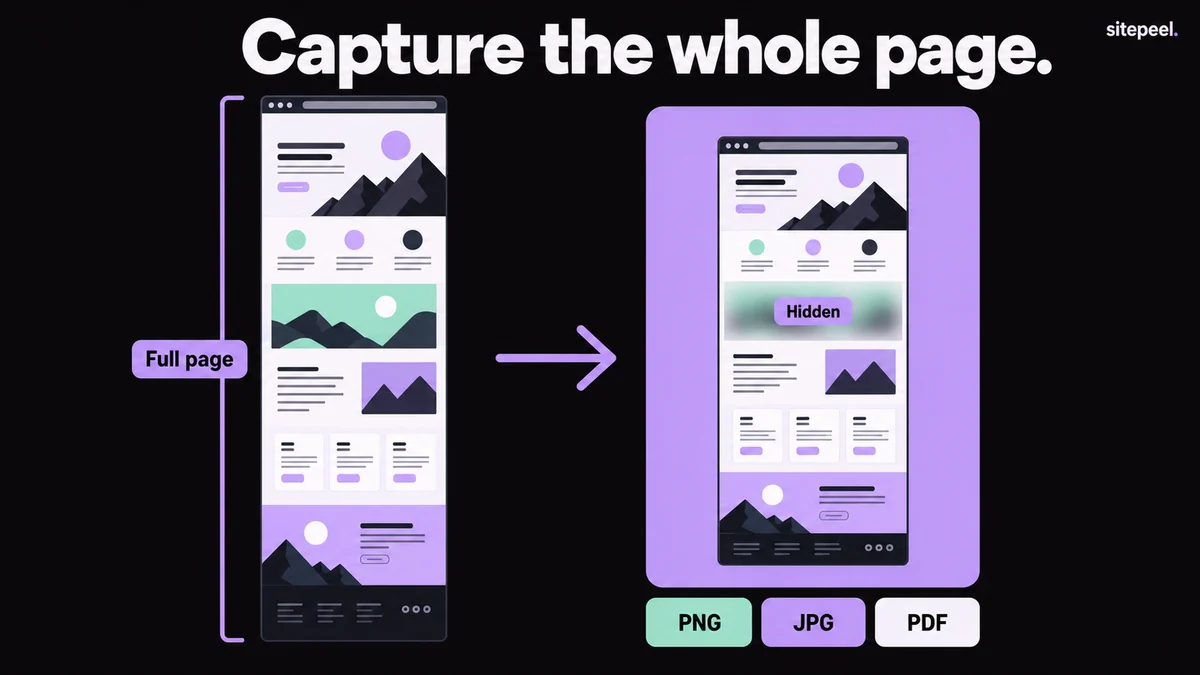
“Capture the whole page.” A tall page marked Full page becomes a framed screenshot on a lavender backdrop with one area hidden, ready to export as PNG, JPG or PDF.
Capture the whole page, then frame, blur and export it.

In short

  • An online tool needs only the link: no extension and no DevTools
  • Scrolling before the capture loads lazy images
  • This tool captures pages up to 16,000 pixels tall
  • Online tools see the public page; capture logged-in pages in your own browser

Try it free · Website screenshot

Free. No install.

01

Paste the link

Paste the page’s link into the free website screenshot tool.

02

Choose area and screen

Pick Full page or First screen, and Desktop or Phone, then press Capture.

03

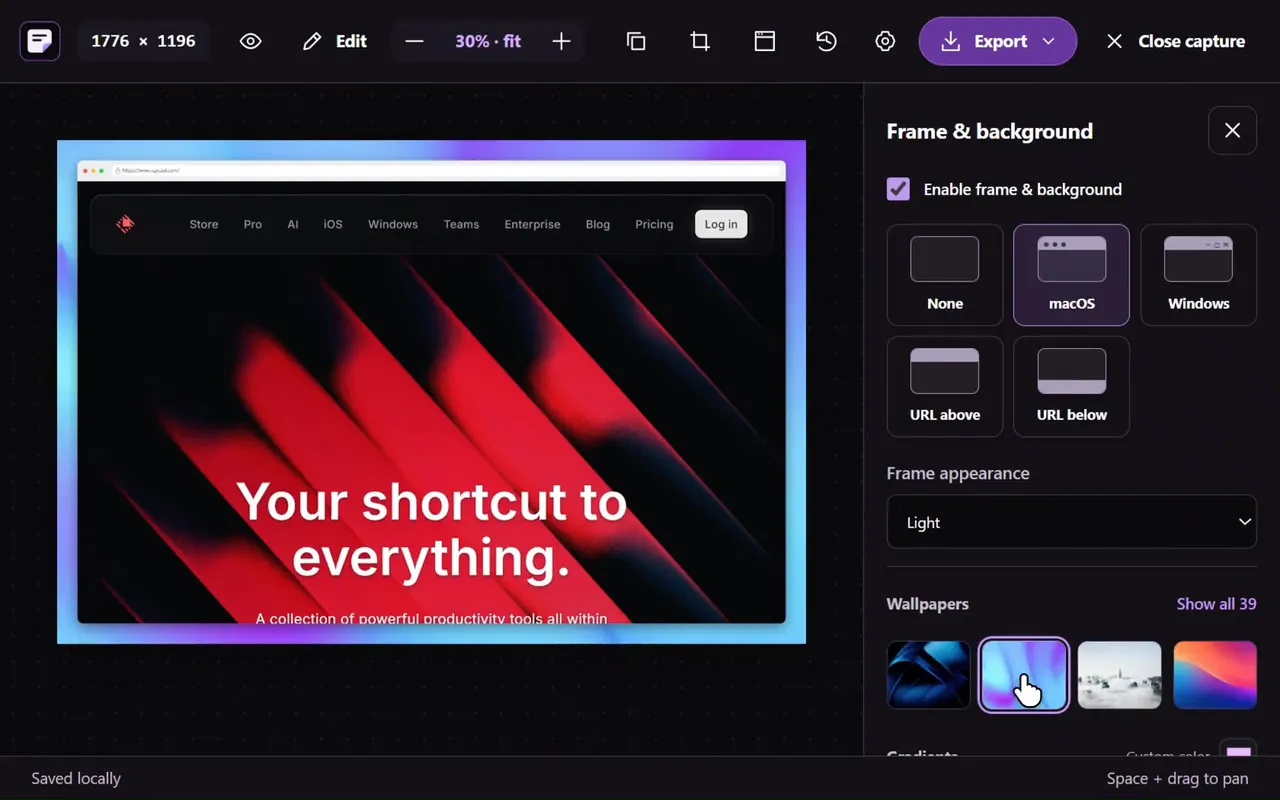
Frame, blur and mark it

Add a browser frame and wallpaper, blur private parts, add arrows, boxes or text, and crop.

04

Export the image

Export PNG, JPG, WebP or PDF. The editor keeps your last ten screenshots in this browser.

Four ways to capture a full page

Full-page screenshot options
WayHowBest for
Free online toolPaste a link and choose Full pagePublic pages, phone captures and framed images to share
Chrome DevToolsOpen DevTools, press Ctrl+Shift+P (Cmd+Shift+P on Mac), run “Capture full size screenshot”Pages you are signed in to; saves a PNG
FirefoxRight-click, choose Take Screenshot, then Save full page (or press Ctrl+Shift+S)Firefox users; nothing to set up
Sitepeel for ChromeThe Screenshot tool in the extensionPages behind a login, with the same editor
Website screenshot tool in the Sitepeel interface
Website screenshot tool in actionExplore the tool

Lazy images, sticky headers and pop-ups

Common full-page capture problems
ProblemWhy it happensWhat to do
Blank or blurry imagesLazy images load only when scrolled into viewFull page scrolls first; in DevTools, scroll to the bottom yourself before capturing
Header repeated down the pageTools that capture screen by screen and stitch can catch a sticky header in every sliceUse a tool that captures the page in one pass, then check the result
Cookie banner or chat bubble on topThey are part of the page when it loadsBlur or crop them in the editor
Page cut off earlyThe content scrolls inside a panel, not the windowCapture that panel in your own browser

Fix missing or cut-off content

Very tall pages and file formats

The online tool captures up to 16,000 pixels tall. Very tall images are hard to read once shared, so crop to the part that matters first.

Choose an export format
FormatUse it for
PNGSharp text and interface detail; larger files
JPGPhoto-heavy pages and smaller files; no transparency
WebPSmall files for the web; at most 16,383 pixels a side
PDFSending the capture as a document

Compare PNG, JPG and WebP for screenshots

Frame, blur and share

TipScreenshots stay in this browser only: the editor keeps your last ten, and nothing is uploaded to an account.

  • Add a browser frame and a wallpaper or gradient behind it.
  • Set padding, rounded corners and a shadow.
  • Blur emails, names and other private details before sharing.
  • Point at problems with arrows, boxes and text.
  • Crop to the section you are talking about.

Annotate a screenshot for a review or bug report

Further reading

Chrome DevTools: device mode and full size screenshotsMozilla: take screenshots in FirefoxGoogle: WebP FAQ (maximum image size)

A few useful answers.

How do I take a full-page screenshot without an extension?

Paste the link into a free online screenshot tool. Or open Chrome DevTools, press Ctrl+Shift+P (Cmd+Shift+P on Mac) and run “Capture full size screenshot”. In Firefox, right-click the page, choose Take Screenshot, then Save full page.

Why are images missing from my full-page screenshot?

They were lazy-loaded and hadn’t loaded yet. Scroll through the whole page before capturing, or use a tool that scrolls first. Content inside a separately scrolling panel can also be cut off.

Can I screenshot a page behind a login online?

Not with an online tool: it sees the page as a signed-out visitor would. Use Chrome DevTools, Firefox or the Sitepeel for Chrome tools in your own browser.

How tall can a full-page screenshot be?

This tool captures up to 16,000 pixels tall. Formats have limits too: WebP stops at 16,383 pixels a side and JPG at 65,535, while PNG allows far more.


TAKE A CLOSER LOOK

Your next starting point is already on the web.

Inspect it. Understand it. Build something of your own.

Add to ChromeFree installTry the free tools