
 Claude Code
 Cursor
 Codex
 GitHub Copilot
 LaravelBrand
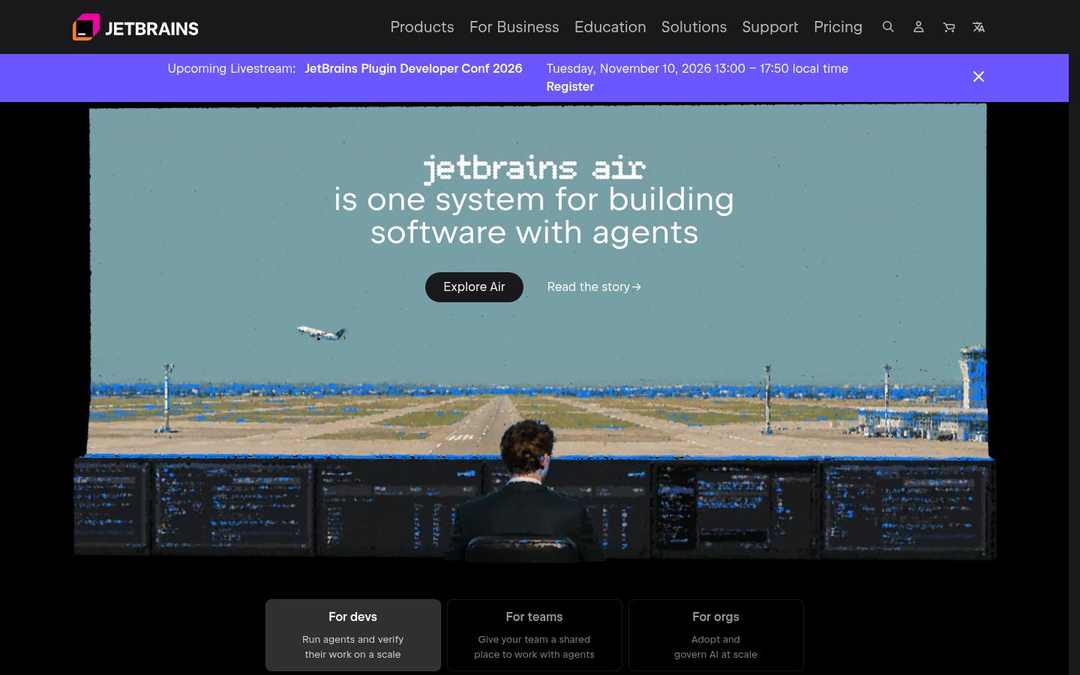
Developer tools · DESIGN.md · measured November 4, 2026
JetBrains design system
Dark interface · JetBrains Sans · 8px corners
- #000000
- #19191C
- #FFFFFF
- #6B57FF
From jetbrains.com ↗ · 429 elements at 1440×900 and 390×844 Independent analysis, not affiliated with JetBrains
JetBrains color palette
14 colors with hex codes, grouped by where each one is used on the page.
Surfaces
Near Black
#000000backgroundPage background · 1×Charcoal
#19191Csurface-container-low · --wt-site-header-bgRaised areas one step from the page · 5×Graphite
#303033surface-container · --rs-color-grey-90Cards and panels · 1×White 30%
#FFFFFF4Doverlay · --rs-color-white-t30Translucent fill for cards and controls · 4×Indigo 50%
#6B57FF80overlay-strongStronger translucent fill · 1×Text
White
#FFFFFFon-surfacePrimary text and headings · 135×Gray
#B3B3B3on-surface-variant · --rs-color-white-t70Secondary text · 55×Gray
#999999on-surface-mutedMuted text and metadata · 2×White
#FFFFFFon-primaryText and icons on primaryAccents
Indigo
#6B57FFprimary · --rs-color-primary-light-themePrimary buttons and calls to action · 1×Indigo
#6F61D2secondaryAccent (CSS variable)Vivid Pink
#F001A0tertiaryAccent in the logo · 1×Borders
White 20%
#FFFFFF33outlineBorders and dividers · 5×White 30%
#FFFFFF4Doutline-variant · --rs-color-white-t30Secondary dividers · 4×Gradients
JetBrains fonts and type scale
One family carries the whole interface.
AaJetBrains SansWeights 300, 400, 600JetBrains Sans, Inter, system-ui, -apple-system
headline-displayPage title (h1)JetBrains72px · 600 · 1 · -0.005em
headline-lgSection headings (h2)The quick brown fox jumps over the lazy dog43px · 600 · 1.14 · -0.001em
headline-mdSub-section headingsThe quick brown fox jumps over the lazy dog35px · 600 · 1.2
mobile 28px
mobile 28px
headline-smCard and feature titlesThe quick brown fox jumps over the lazy dog29px · 300 · 1.34
mobile 23px
mobile 23px
title-lgSmall titlesThe quick brown fox jumps over the lazy dog20px · 400 · 1.4
body-mdBody textThe quick brown fox jumps over the lazy dog16px · 400 · 1
body-smSecondary and small textThe quick brown fox jumps over the lazy dog13px · 400 · 1.54 · 0.005em
label-mdButtons, navigation and labelsThe quick brown fox jumps over the lazy dog16px · 600 · 1.5
label-smSmall labels and badgesThe quick brown fox jumps over the lazy dog13px · 600 · 1.54
Contrast
Text on #000000
AaAAA
21.0:1AaAAA
10.0:1AaAAA
7.3:1Spacing
No strict grid · 77% are multiples of 4px
sm8pxmd12pxlg24pxxl48pxgutter8pxsection96pxShapes
Corner radii, most used first.
sm8px · 68×
md16px · 40×
xl26px · 24×
xs4px · 16×
lg24px · 16×
Depth
Inset
Inset
JetBrains UI components
Rebuilt from the measured CSS.
Explore Air
Products
Card
Inline link
Motion
Interface transitions
0.1s0.15s0.2seaseease-out
Do’s and don’ts
Rules written from the measurements, so a coding agent stays on style.
- Use #000000 for the page and lift surfaces in small steps: #19191C, #303033.
- Keep text in 3 levels: #FFFFFF, #B3B3B3, #999999.
- Reserve #6B57FF for primary actions and key highlights.
- Set headlines in JetBrains Sans with tight tracking (-0.005em).
- Reuse the measured spacing steps (8px, 12px, 24px).
- Use 8px corners on most elements; larger surfaces also use 16px, 26px and 4px.
- Add drop shadows for depth; use hairline rings and tonal surfaces.
- Introduce new font families beyond JetBrains Sans.
- Use #6B57FF for large backgrounds or body text.
- Make interface transitions slower than 0.2s.
JetBrains DESIGN.md215 lines
---
version: alpha
name: JetBrains
description: "Dark interface measured from jetbrains.com: JetBrains Sans type, indigo accents, tonal surfaces and 8px corners."
colors:
  background: "#000000"
  surface: "#000000"
  on-surface: "#FFFFFF"
  on-background: "#FFFFFF"
  on-surface-variant: "#B3B3B3"
  on-surface-muted: "#999999"
  surface-container-low: "#19191C"
  surface-container: "#303033"
  overlay: "#FFFFFF4D"
  overlay-strong: "#6B57FF80"
  outline: "#FFFFFF33"
  outline-variant: "#FFFFFF4D"
  primary: "#6B57FF"
  on-primary: "#FFFFFF"
  secondary: "#6F61D2"
  tertiary: "#F001A0"
typography:
  headline-display:
    fontFamily: JetBrains Sans
    fontSize: 72px
    fontWeight: 600
    lineHeight: 1
    letterSpacing: -0.005em
  headline-lg:
    fontFamily: JetBrains Sans
    fontSize: 43px
    fontWeight: 600
    lineHeight: 1.14
    letterSpacing: -0.001em
  headline-md:
    fontFamily: JetBrains Sans
    fontSize: 35px
    fontWeight: 600
    lineHeight: 1.2
  headline-sm:
    fontFamily: JetBrains Sans
    fontSize: 29px
    fontWeight: 300
    lineHeight: 1.34
  title-lg:
    fontFamily: JetBrains Sans
    fontSize: 20px
    fontWeight: 400
    lineHeight: 1.4
  body-md:
    fontFamily: JetBrains Sans
    fontSize: 16px
    fontWeight: 400
    lineHeight: 1
  body-sm:
    fontFamily: JetBrains Sans
    fontSize: 13px
    fontWeight: 400
    lineHeight: 1.54
    letterSpacing: 0.005em
  label-md:
    fontFamily: JetBrains Sans
    fontSize: 16px
    fontWeight: 600
    lineHeight: 1.5
  label-sm:
    fontFamily: JetBrains Sans
    fontSize: 13px
    fontWeight: 600
    lineHeight: 1.54
  headline-sm-mobile:
    fontFamily: JetBrains Sans
    fontSize: 23px
    fontWeight: 300
    lineHeight: 1.3
  headline-md-mobile:
    fontFamily: JetBrains Sans
    fontSize: 28px
    fontWeight: 600
    lineHeight: 1.14
rounded:
  xs: 4px
  sm: 8px
  md: 16px
  lg: 24px
  xl: 26px
spacing:
  sm: 8px
  md: 12px
  lg: 24px
  xl: 48px
  gutter: 8px
  section: 96px
components:
  button-outline:
    backgroundColor: "{colors.surface-container-low}"
    textColor: "{colors.on-surface}"
    typography: "{typography.body-md}"
    rounded: 20px
    padding: 8px 24px
    height: 40px
  button-ghost:
    textColor: "{colors.on-surface}"
    typography: "{typography.title-lg}"
    rounded: 0px
    padding: 0px 10px
  card:
    backgroundColor: "{colors.surface-container}"
    textColor: "{colors.background}"
    typography: "{typography.body-sm}"
    rounded: "{rounded.sm}"
    padding: 12px 16px
  link:
    textColor: "{colors.on-surface-variant}"
---

# JetBrains Design System

## Overview

JetBrains describes itself as: “JetBrains is a cutting-edge software vendor specializing in the creation of intelligent development tools, including IntelliJ IDEA – the leading Java IDE, and the Kotlin programming language.” The interface is dark, built on **Near Black (#000000)** with **White (#FFFFFF)** text, and **Indigo (#6B57FF)** as the main accent.

Type is set in **JetBrains Sans**. Headlines run large with tight negative tracking; body text is 16px. Depth comes from hairline borders and inset highlights rather than drop shadows. Corners are mostly 8px.

Measured from [jetbrains.com](https://www.jetbrains.com/) on November 4, 2026 at 1440×900 and 390×844 from 429 rendered elements. Values are computed styles from the live page, not the original source files.

## Colors

The palette has 14 roles, plus gradient stops #5A1FD0, #39013E99.

- **Near Black (#000000):** Page background, seen 1 time. Token `background`.
- **White (#FFFFFF):** Primary text and headings, seen 135 times. Token `on-surface`.
- **Gray (#B3B3B3):** Secondary text, seen 55 times. Token `on-surface-variant`, CSS `--rs-color-white-t70`.
- **Gray (#999999):** Muted text and metadata, seen 2 times. Token `on-surface-muted`.
- **Charcoal (#19191C):** Raised areas one step from the page, seen 5 times. Token `surface-container-low`, CSS `--wt-site-header-bg`.
- **Graphite (#303033):** Cards and panels, seen 1 time. Token `surface-container`, CSS `--rs-color-grey-90`.
- **White 30% (#FFFFFF4D):** Translucent fill for cards and controls, seen 4 times. Token `overlay`, CSS `--rs-color-white-t30`.
- **Indigo 50% (#6B57FF80):** Stronger translucent fill, seen 1 time. Token `overlay-strong`.
- **White 20% (#FFFFFF33):** Borders and dividers, seen 5 times. Token `outline`.
- **White 30% (#FFFFFF4D):** Secondary dividers, seen 4 times. Token `outline-variant`, CSS `--rs-color-white-t30`.
- **Indigo (#6B57FF):** Primary buttons and calls to action, seen 1 time. Token `primary`, CSS `--rs-color-primary-light-theme`.
- **White (#FFFFFF):** Text and icons on primary. Token `on-primary`.
- **Indigo (#6F61D2):** Accent (CSS variable). Token `secondary`.
- **Vivid Pink (#F001A0):** Accent in the logo, seen 1 time. Token `tertiary`.

## Typography

**JetBrains Sans** carries the whole interface. Fallback stack: `JetBrains Sans, Inter, system-ui, -apple-system`. Other loaded fonts: JetBrains Modul.

- **headline-display:** JetBrains Sans 72px at weight 600, line height 1, tracking -0.005em. Page title (h1).
- **headline-lg:** JetBrains Sans 43px at weight 600, line height 1.14, tracking -0.001em. Section headings (h2).
- **headline-md:** JetBrains Sans 35px at weight 600, line height 1.2 (28px on mobile). Sub-section headings.
- **headline-sm:** JetBrains Sans 29px at weight 300, line height 1.34 (23px on mobile). Card and feature titles.
- **title-lg:** JetBrains Sans 20px at weight 400, line height 1.4. Small titles.
- **body-md:** JetBrains Sans 16px at weight 400, line height 1. Body text.
- **body-sm:** JetBrains Sans 13px at weight 400, line height 1.54, tracking 0.005em. Secondary and small text.
- **label-md:** JetBrains Sans 16px at weight 600, line height 1.5. Buttons, navigation and labels.
- **label-sm:** JetBrains Sans 13px at weight 600, line height 1.54. Small labels and badges.

## Layout

Spacing is mostly on a 4px grid (77% of measured values), with some off-grid steps. Match the measured scale rather than rounding everything.

- **Scale:** sm 8px, md 12px, lg 24px, xl 48px.
- **Sections:** 96px vertical padding between major sections.
- **Gaps:** 8px is the most common gap in flex and grid layouts.

## Elevation & Depth

The design avoids drop shadows. Layers are separated by tonal surface steps (#19191C → #303033) and hairline rings:

- `rgba(255, 255, 255, 0.1) 0px 0px 0px 1px inset`
- `rgba(255, 255, 255, 0.05) 0px 0px 0px 1px inset`

## Shapes

Most elements use 8px corners. Measured radii, most used first:

- **sm (8px):** 68 elements.
- **md (16px):** 40 elements.
- **xl (26px):** 24 elements.
- **xs (4px):** 16 elements.
- **lg (24px):** 16 elements.

## Components

Measured from the rendered page. Token values reference the tokens above.

- **button-outline (“Explore Air”):** #19191C fill, #FFFFFF text, 16px/400, 20px radius, padding 8px 24px.
- **button-ghost (“Products”):** transparent fill, #FFFFFF text, 20px/400, padding 0px 10px.
- **card:** #303033 fill, #000000 text, 13.3333px/400, 8px radius, padding 12px 16px, shadow `rgba(255, 255, 255, 0.05) 0px 0px 0px 1px inset`.
- **link:** transparent fill, #FFFFFFB3 text, padding 0px.

## Do's and Don'ts

- Do use #000000 for the page and lift surfaces in small steps: #19191C, #303033.
- Do keep text in 3 levels: #FFFFFF, #B3B3B3, #999999.
- Do reserve #6B57FF for primary actions and key highlights.
- Do set headlines in JetBrains Sans with tight tracking (-0.005em).
- Do reuse the measured spacing steps (8px, 12px, 24px).
- Do use 8px corners on most elements; larger surfaces also use 16px, 26px and 4px.
- Don't add drop shadows for depth; use hairline rings and tonal surfaces.
- Don't introduce new font families beyond JetBrains Sans.
- Don't use #6B57FF for large backgrounds or body text.
- Don't make interface transitions slower than 0.2s.

## Motion

Interface transitions are quick: 0.1s, 0.15s, 0.2s.

- **Easing:** `ease`, `ease-out`.
- **Reduced motion:** the page responds to `prefers-reduced-motion`.

Generated by [Sitepeel](https://sitepeel.dev/design-md/jetbrains.com/), the free DESIGN.md generator (engine 2026.10.29+b828a475ee10).
Fonts
What font does JetBrains use?
JetBrains uses JetBrains Sans (weights 300, 400 and 600) on jetbrains.com. Page titles are 72px at weight 600 and body text is 16px. Measured on November 4, 2026.
- AaJetBrains Sans · 300, 400, 600
Colors
JetBrains colors: palette and hex codes
JetBrains’s main colors are #000000 (near black) for the background, #FFFFFF (white) for text and #6B57FF (indigo) as the main accent, with #6F61D2 (indigo) and #F001A0 (vivid pink) as other accents. Measured on November 4, 2026.
- #000000 · near black
- #FFFFFF · white
- #B3B3B3 · gray
- #999999 · gray
- #19191C · charcoal
- #303033 · graphite
- #6B57FF · indigo
- #6F61D2 · indigo
Tech stack
What is JetBrains built with?
JetBrains’s website (jetbrains.com) is built with React, React Router, Amazon CloudFront and Nginx. Measured on November 4, 2026.
- JavaScript framework
- React 19.2.8, React Router 8.3.0
- Analytics
- Meta Pixel 2.9.435, Sentry 10.68.0, TikTok Pixel, Microsoft Advertising
- Marketing & support
- Optimizely, Marketo
- Hosting & CDN
- Amazon CloudFront
- Server
- Nginx
What you can build with it
Landing pages, pricing tables, dashboards: your AI coding agent builds them in this style, with these colors, fonts, spacing and buttons instead of its defaults.
Download DESIGN.md, put it in your project’s root folder, then ask your agent for a page.
Build a landing page for my product. Follow for every color, font, spacing value, corner and button.
Need a page behind a login?
The DESIGN.md generator Chrome extension makes one from any page you have open, including dashboards and pages behind a login.
More in Developer tools
All DESIGN.md examples →
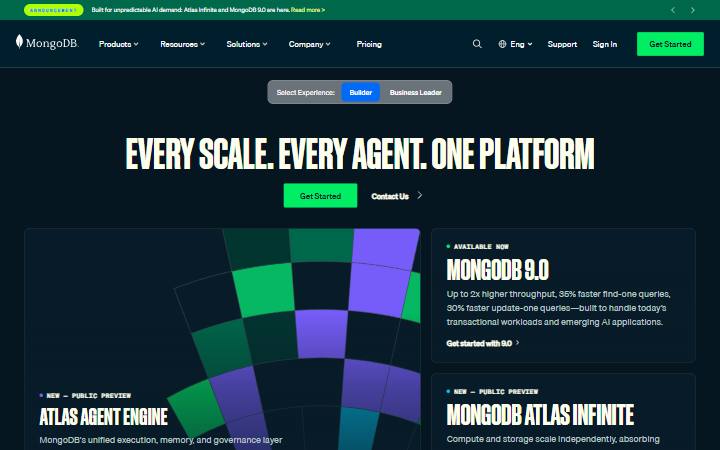
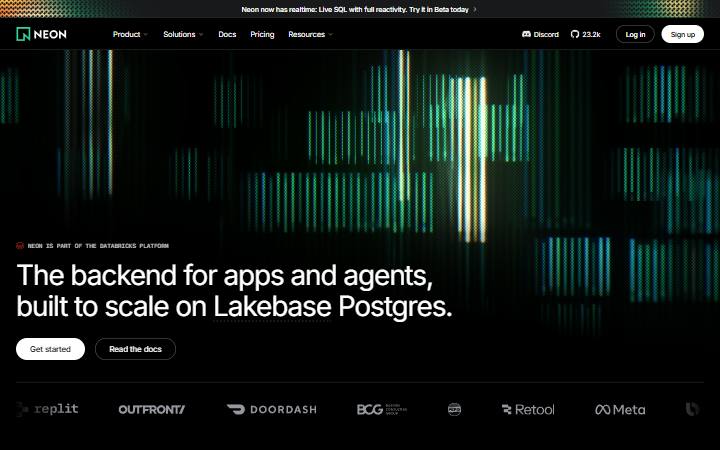
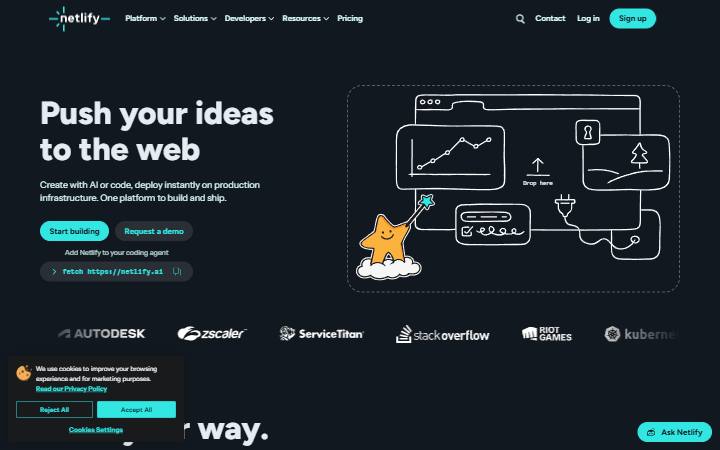
Not in the library? Make a DESIGN.md from any site.
FAQ
JetBrains design system questions
What font does JetBrains use?
JetBrains’s website uses JetBrains Sans (weights 300, 400 and 600). Page titles are 72px at weight 600 and body text is 16px. Measured on November 4, 2026.
What are the JetBrains colors and hex codes?
On jetbrains.com: #000000 (near black) for the background, #FFFFFF (white) for text and #6B57FF (indigo) as the main accent, with #6F61D2 (indigo) and #F001A0 (vivid pink) as other accents. The color palette above lists all 14 colors with their hex codes and where each one is used.
What is the JetBrains design system?
The design system on this page is jetbrains.com’s, as measured on November 4, 2026: JetBrains Sans type, #6B57FF as the main color and 8px corners, written down as a DESIGN.md. It is not JetBrains’s own documentation.
What is JetBrains built with?
JetBrains’s website (jetbrains.com) is built with React, React Router, Amazon CloudFront and Nginx. The full tech stack Sitepeel found: React, React Router, Meta Pixel, Sentry, TikTok Pixel, Optimizely, Amazon CloudFront, Nginx, Microsoft Advertising and Reddit Pixel. Measured on November 4, 2026.
What is the JetBrains DESIGN.md?
A plain-text file with JetBrains’s measured colors, type, spacing, corners and components as tokens, plus short rules, in the DESIGN.md format Google published with Stitch. Your AI coding agent reads it and builds in this style. More about DESIGN.md.
How do I use it with Claude Code or Cursor?
Download the file and put it in your project’s root folder, then ask your agent to follow DESIGN.md. Step-by-step guides: Claude Code, Cursor, Codex, GitHub Copilot.
Is this JetBrains’s official design system?
No. Sitepeel measured it from jetbrains.com’s public page on November 4, 2026. It is an independent analysis, not made or approved by JetBrains.
Can I use JetBrains’s style in my own product?
Use it to learn, prototype and compare. For a real product, make the style your own, and never copy JetBrains’s logo, name, pictures or text.
How accurate are the values?
Each value was measured on the rendered page after it fully loaded, on desktop and mobile: colors where they appear, type with tracking, spacing, corners, shadows and hover states. Sites change, so check the date at the top.