DESIGN.MD & AI

How to use DESIGN.md with v0, Lovable, Bolt and Replit

Put DESIGN.md where each builder keeps lasting context: Lovable or Bolt Knowledge, Replit’s replit.md, or a v0 Instruction plus the attached file. Then build one screen first.

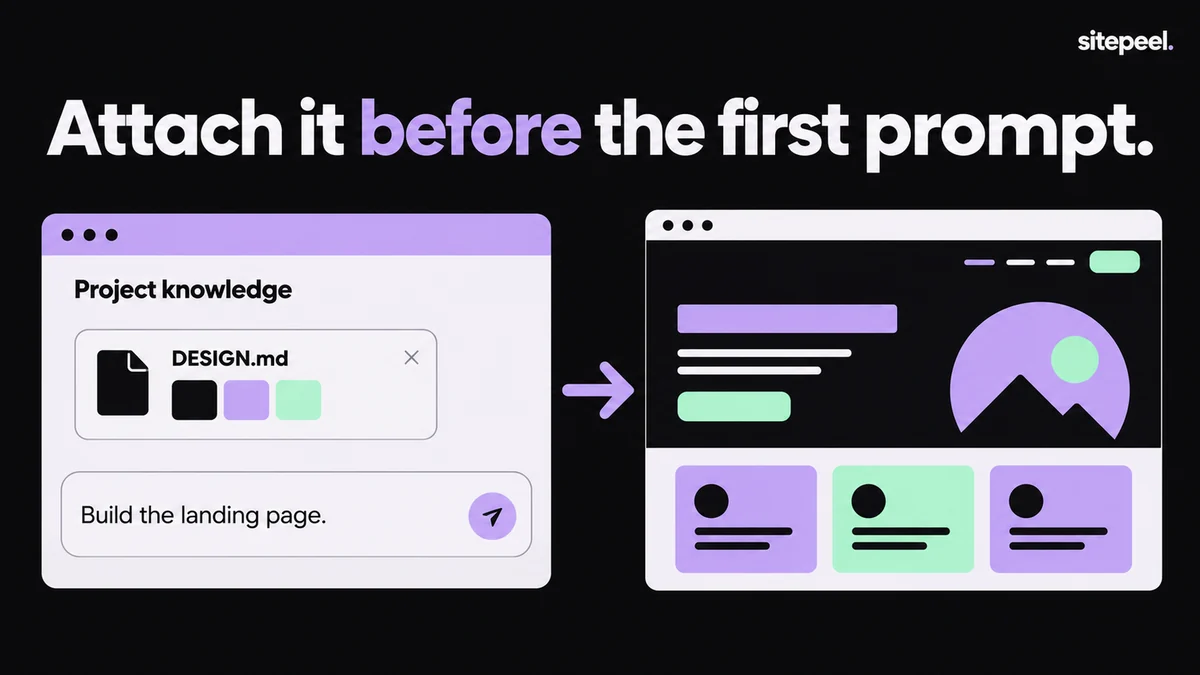
“Attach it before the first prompt.” DESIGN.md is attached as project knowledge with the prompt “Build the landing page”, and the generated page uses its colors.
Attach DESIGN.md as project knowledge, then build with it.

In short

  • Put lasting design rules in the builder’s Knowledge, Instructions or replit.md, not in one chat
  • Bolt’s docs show the DESIGN.md flow: attach it, save it to the root, add a Knowledge rule
  • Lovable Knowledge holds 10,000 characters; paste the key rules if the file is longer

Try it free · DESIGN.md generator

Free. No install.

01

Make and review DESIGN.md

Generate it from a site with Sitepeel. Check the primary color, headings and buttons before you use it.

02

Add it to the project

Attach the file in chat or add it to the project files, and keep it at the project root.

03

Add a lasting rule

In Knowledge, Instructions or replit.md, write: “For all UI, follow DESIGN.md in the project root.”

04

Paste the starter prompt

Use the prompt below. It asks for one screen, then a stop for your review.

05

Review before building more

Compare the screen with DESIGN.md at phone and desktop widths, then continue page by page.

Where each builder keeps project instructions

TipLovable Knowledge holds 10,000 characters. If DESIGN.md is longer, paste the tokens and the Do’s and Don’ts.

Lasting instructions in AI app builders
BuilderWhere lasting rules goHow to add DESIGN.md
v0Instructions: + in the prompt bar, then Instructions, then New Instruction. Saved to your accountAttach the file with +, then Upload from computer. Turn on a short design Instruction
LovableProject settings, then Knowledge (up to 10,000 characters). A root AGENTS.md in the project’s Git repositoryPaste the rules into Project knowledge, or commit DESIGN.md and point to it from AGENTS.md
BoltGear icon, then Knowledge. Bolt also reads an agents.md file in the projectAttach DESIGN.md in chat, ask Bolt to save it in the project root, then add a Knowledge rule
Replitreplit.md in the project root. Workspace Custom instructions on Pro and EnterpriseUpload DESIGN.md to the root and add a line to replit.md
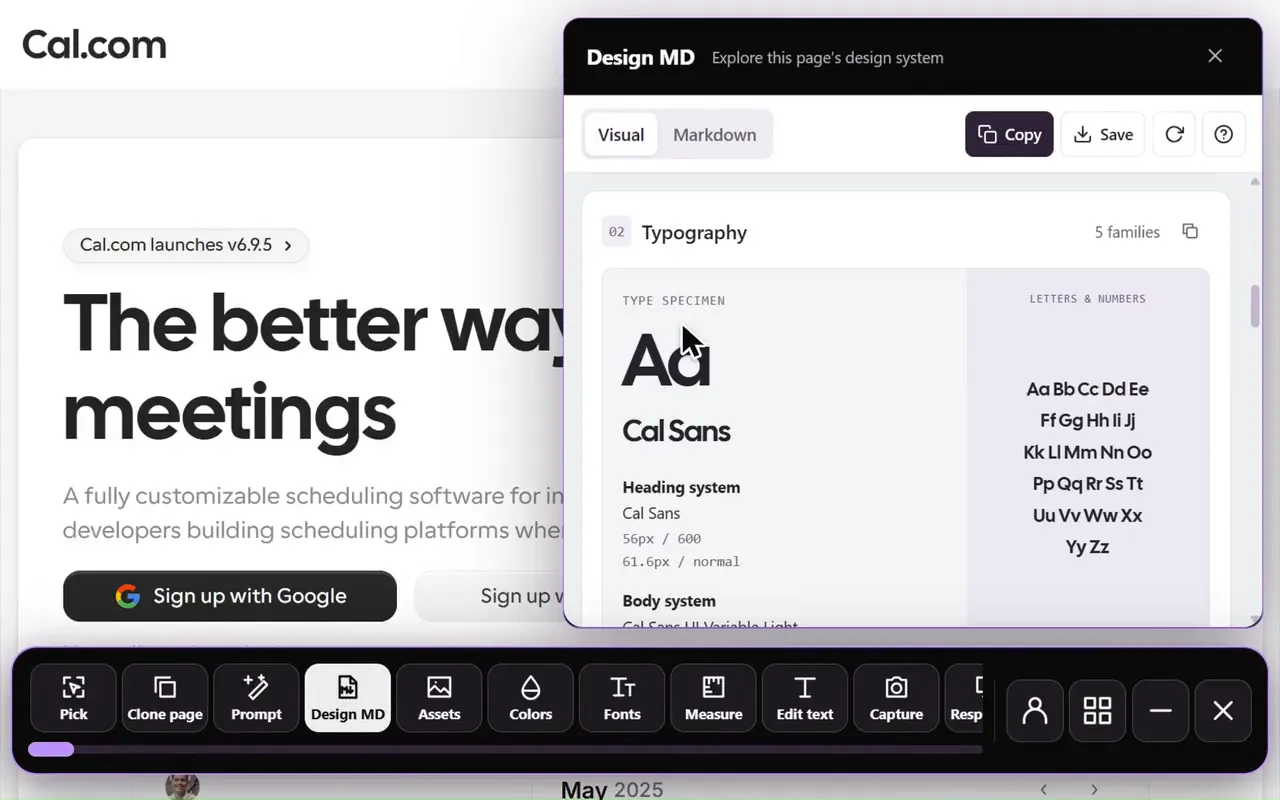
Design MD generator in the Sitepeel interface
Design MD generator in actionExplore the tool

A prompt to paste into any builder

Attach DESIGN.md first, or paste it under the prompt. Asking for one screen lets you catch problems before they spread to every page.

design-prompt.txt
I attached DESIGN.md, our design system.
Save it as DESIGN.md in the project root and follow it for all UI.

- Use only its color, typography, spacing and radius tokens.
- Match its button, card and input styles.
- Follow its Do's and Don'ts.
- If DESIGN.md has no rule for something, ask me first.

Build the home page only, then stop so I can review it.

Notes for each builder

  • v0: chat attachments accept text files; checked Instructions apply to your messages until you uncheck them
  • Lovable: Knowledge is always included, but very long chats may follow it less consistently
  • Bolt: Knowledge stays available in long chats and after you clear the context
  • Replit: replit.md must sit in the project root, and Agent may edit it, so check your design line stays

Check the first screen

  • Compare buttons, headings and spacing with DESIGN.md at phone and desktop widths
  • Ask which tokens it used, and look for colors that aren’t in the file
  • When a mistake repeats, fix the rule or DESIGN.md, not just the screen

Make a DESIGN.md from any website, free

The builder still ignores the design? Check these five things

Further reading

v0 docs: Instructionsv0 docs: Images, videos and file uploadsLovable docs: Workspace and project knowledgeBolt docs: Add your Stitch design system (DESIGN.md) to BoltBolt docs: Manage project context and agents.mdReplit docs: replit.mdReplit docs: Agent customization

A few useful answers.

Does Bolt support DESIGN.md?

Yes. Bolt’s docs show it: attach DESIGN.md in chat, ask Bolt to save it in the project root, then add a Project Knowledge rule telling Bolt to follow the file for new parts of the app.

Where do I add project knowledge in Lovable?

Open Project settings, then Knowledge. Project knowledge holds up to 10,000 characters and is always included in context. Workspace knowledge, managed by owners and admins, applies to every project.

What is replit.md?

A Markdown file in your project root that Replit Agent reads for your conventions and preferences. Agent creates it for new projects, and you can edit it.

Does v0 have project instructions?

v0 has Instructions: reusable rules saved to your account and turned on from the + button in the prompt bar. For a design system, attach DESIGN.md to the chat and keep a short Instruction that points to it.

TAKE A CLOSER LOOK

Your next starting point is already on the web.

Inspect it. Understand it. Build something of your own.

Add to ChromeFree installTry the free tools