
DESIGN.MD & AI

How to use DESIGN.md with Windsurf

Save DESIGN.md in your project, then add a workspace rule in .windsurf/rules that tells the agent to follow it for UI files. Windsurf is now called Devin Desktop.

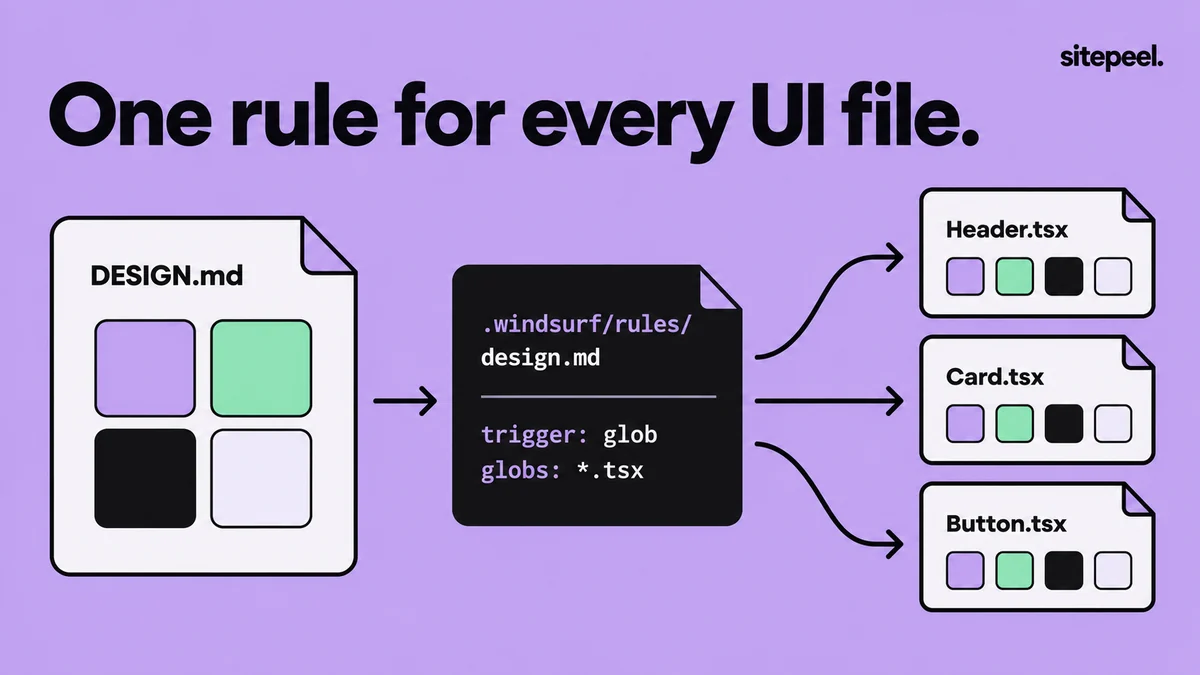
“One rule for every UI file.” A .windsurf/rules/design.md rule with a glob trigger for .tsx files applies DESIGN.md’s colors to Header.tsx, Card.tsx and Button.tsx.
A glob rule applies DESIGN.md to your UI files.

In short

  • Windsurf is now Devin Desktop: .windsurf/rules still works, and .devin/rules is the preferred folder
  • Each rule sets a trigger: always_on, model_decision, glob or manual
  • A root AGENTS.md is always on and needs no front matter
  • Workspace rule files are limited to 12,000 characters each

Try it free · DESIGN.md generator

Free. No install.

01

Add DESIGN.md to the project

Generate it from a site with Sitepeel, review it and save it in the workspace root.

02

Create a workspace rule

Click the Customizations icon, open Rules and choose + Workspace, or create the rule file yourself.

03

Pick a trigger

Use glob for your UI files, or always_on for a small, UI-heavy project.

04

Ask for one screen

Name the page, its content and its main action. Ask which DESIGN.md tokens it used.

05

Review the result

Compare the page with DESIGN.md at phone and desktop widths, then tighten the rule if needed.

Sample Windsurf rule for DESIGN.md

Save this as .windsurf/rules/design.md. Devin Desktop prefers .devin/rules/ but still reads .windsurf/rules/. The glob trigger applies the rule whenever the agent reads or edits a matching file.

.windsurf/rules/design.md
---
trigger: glob
globs: src/**/*.tsx
---

Follow DESIGN.md in the project root for all UI work.

- Read DESIGN.md before changing components, pages or styles.
- Use its color, typography, spacing and radius tokens. No new hex values.
- Reuse existing components and follow its Do's and Don'ts.
- If DESIGN.md has no rule for a case, say so instead of inventing one.
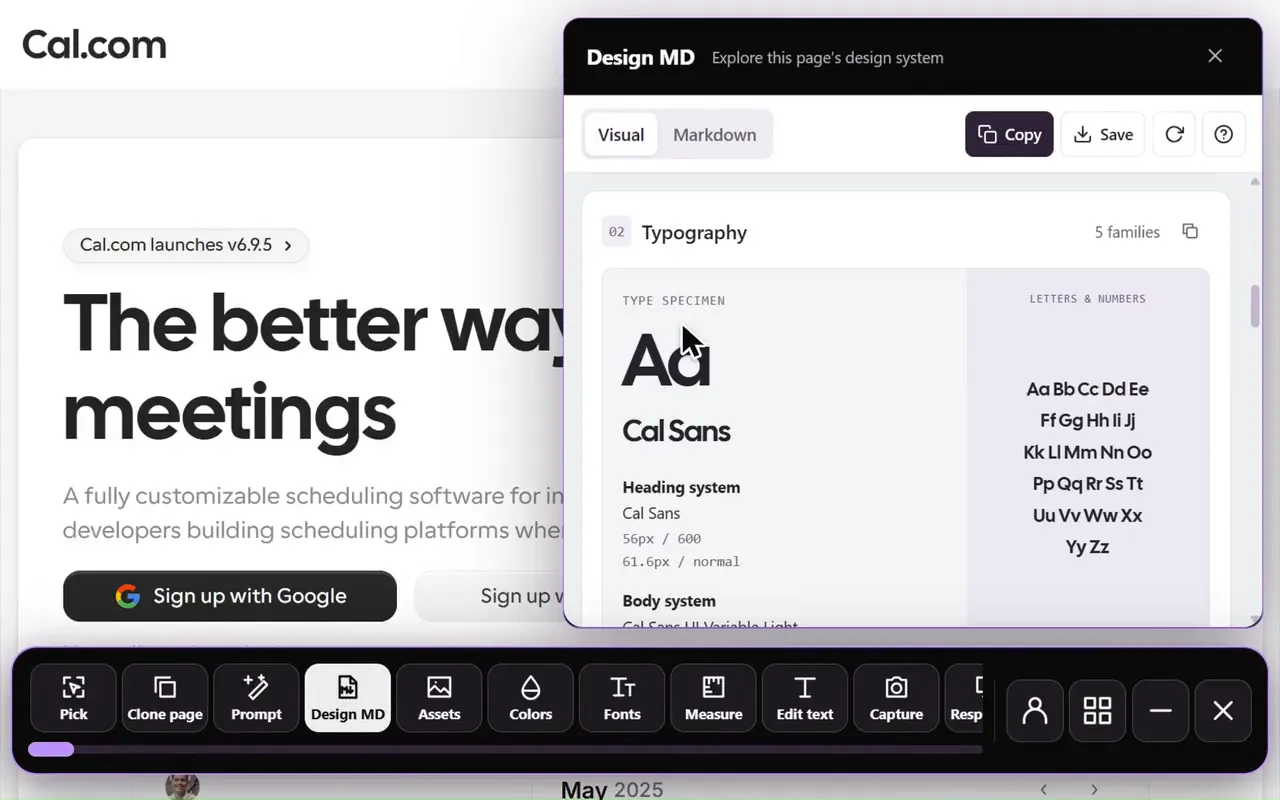
Design MD generator in the Sitepeel interface
Design MD generator in actionExplore the tool

Choose an activation mode

TipPoint to DESIGN.md instead of pasting it into a rule: one file stays the source of truth and under the 12,000-character limit.

Windsurf rule triggers
Modetrigger valueWhen the rule applies
Always Onalways_onEvery message: the full rule is in the system prompt
Model Decisionmodel_decisionThe description is always shown; the full rule is read when relevant
GlobglobWhen the agent reads or edits a file matching globs
ManualmanualOnly when you type @ and the rule name

Rule locations and AGENTS.md

  • Workspace: .devin/rules/*.md (preferred) or .windsurf/rules/*.md, one rule per file
  • The older single .windsurfrules file in the workspace root is still read
  • Global: ~/.codeium/windsurf/memories/global_rules.md, always on, up to 6,000 characters
  • AGENTS.md in the root is always on; in a subfolder, it applies to files in that folder
  • Auto-generated memories stay on your machine, so keep design rules in a rule or AGENTS.md

Sample AGENTS.md section for DESIGN.md

Check what the agent built

  • Ask which DESIGN.md tokens and components it used
  • Search the diff for new hex values and one-off sizes
  • Compare the page with DESIGN.md at phone and desktop widths
  • Rule ignored? Check its trigger and that the globs match the files you’re editing

The agent still ignores the design? Check these five things

Further reading

Cognition: Windsurf is now Devin Desktop (June 2026)Devin Desktop (formerly Windsurf) docs: Memories & RulesDevin Desktop (formerly Windsurf) docs: AGENTS.mdDevin CLI docs: Rules & AGENTS.md

A few useful answers.

Is Windsurf now Devin Desktop?

Yes. Cognition renamed Windsurf to Devin Desktop on June 2, 2026, and its docs moved to docs.devin.ai. Rules in .windsurf/rules and the older .windsurfrules file still load; .devin/rules is now the preferred folder.

Does Windsurf read AGENTS.md?

Yes. A root AGENTS.md works as an always-on rule; one in a subfolder applies when the agent works on files in that folder. Both AGENTS.md and agents.md are recognized.

What is the Windsurf rules character limit?

Each workspace rule file is limited to 12,000 characters. The global rules file, global_rules.md, is limited to 6,000 characters.

Where are Windsurf rules stored?

In .devin/rules/ or .windsurf/rules/ in your workspace, its subfolders, or parent folders up to the git root. Global rules live in ~/.codeium/windsurf/memories/global_rules.md.

TAKE A CLOSER LOOK

Your next starting point is already on the web.

Inspect it. Understand it. Build something of your own.

Add to ChromeFree installTry the free tools