On this page6
Step by step
Open DevTools
Press F12 (Cmd+Option+I on a Mac) and open the Network panel.
List the stylesheets
Choose the CSS filter and reload. Each row is a stylesheet the page loads.
Save each file
Right-click a row, choose Open in new tab, then press Ctrl+S (Cmd+S) to save it.
Or get one clean file
Paste the link into Website to HTML and download styles.css with the rules the page uses.
Where a website’s CSS lives
| Where | What it holds | How to save it |
|---|---|---|
| Linked stylesheets | <link rel="stylesheet"> files, often with hashed names | Network with the CSS filter, or Sources |
<style> tags | CSS written into the HTML, common with frameworks | Copy the tag’s contents in Elements |
| Inline styles | A style attribute on one element | Elements, on that element |
| CSS added by scripts | Styles a script adds while the page runs | Only in the rendered page: Elements or Website to HTML |
@import files | Stylesheets another stylesheet pulls in | They show in Network too |

Make minified CSS readable
- In Sources, open the .css file and press the
{}button to format it. - Or run it through Prettier:
npx prettier --write main.css. - Class names like
.a1b2c3come from build tools. The names mean little; the values are what you want.
Keep only the CSS the page uses
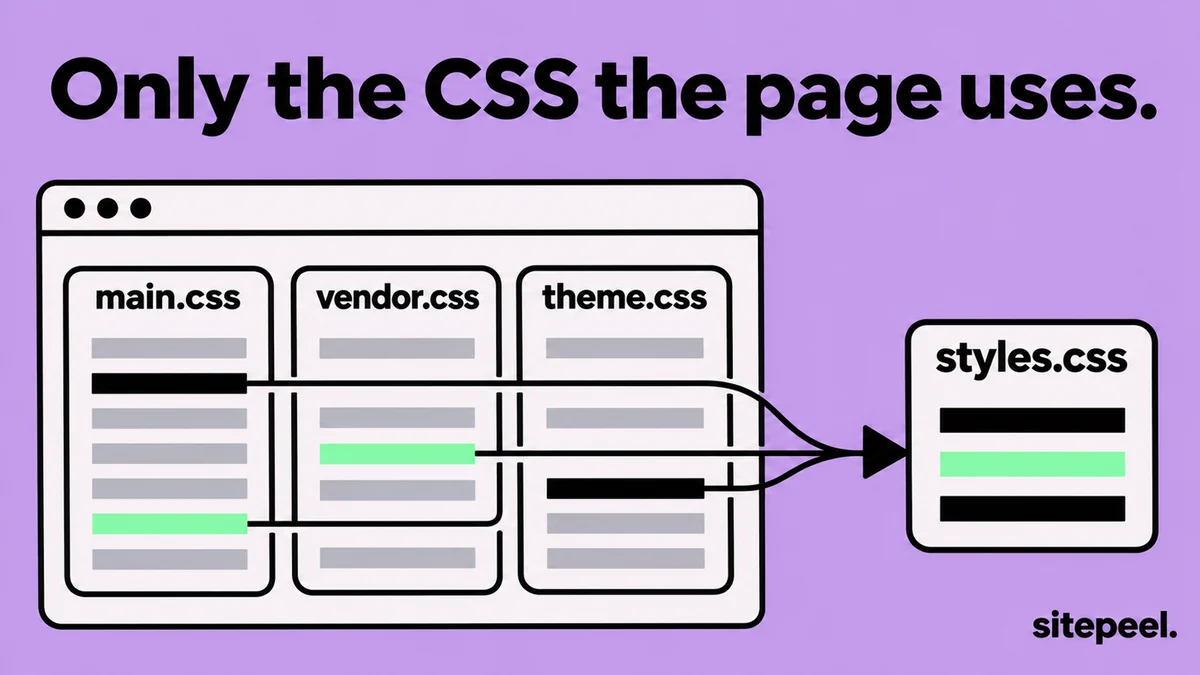
Big sites ship one stylesheet for every page, so most rules don’t apply to the page you have open. Two ways to trim it:
- Chrome’s Coverage panel (Ctrl+Shift+P, type coverage) marks the used and unused rules in each file.
- Website to HTML gathers the rules the page uses from every stylesheet into one styles.css, with media queries and @font-face kept.
Copy the CSS of one element
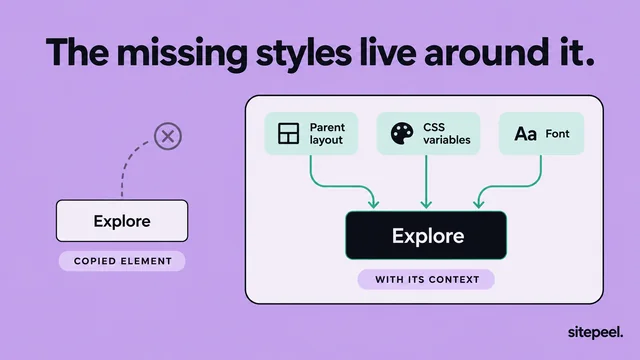
Need one button or card, not the whole stylesheet? Right-click the element in Elements and choose Copy > Copy styles. Then check the fonts, variables and parent layout it depends on.
Questions
How do I download the CSS from a website?
Open DevTools, choose Network, pick the CSS filter and reload. Open each stylesheet in a new tab and save it. For one file with only the rules the page uses, use a Website to HTML tool.
How do I extract only the CSS a page uses?
Paste the link into a Website to HTML tool, which keeps only the rules the page uses in one styles.css. In Chrome, the Coverage panel shows which rules are used, but you cut the rest yourself.
Why is the CSS all on one line?
It is minified so it loads faster. Open it in DevTools Sources and press the {} button, or run it through a formatter like Prettier.
How do I copy the CSS of one element?
Right-click it and choose Inspect, then right-click the element in Elements and pick Copy > Copy styles. Check its fonts, variables and parent layout before you paste it elsewhere.
Can I reuse a website’s CSS?
CSS is code someone wrote, so it is protected like other code. Study it and learn from its values, then write your own rules for your project.